Sorry to bother again, but now I have a question on adding a timestamp of when a blog is posted and adding social media icons for linking. I would like to be able to place them in the red box of the image below, under the title of the post. I would also like to add it to the article in the blog page itself. Thank you again!

Hi @SWCmarketing,
Please kindly go to Pro > Theme Options > Blog > Content and enable the Post Meta option to show set of information about the blog post:
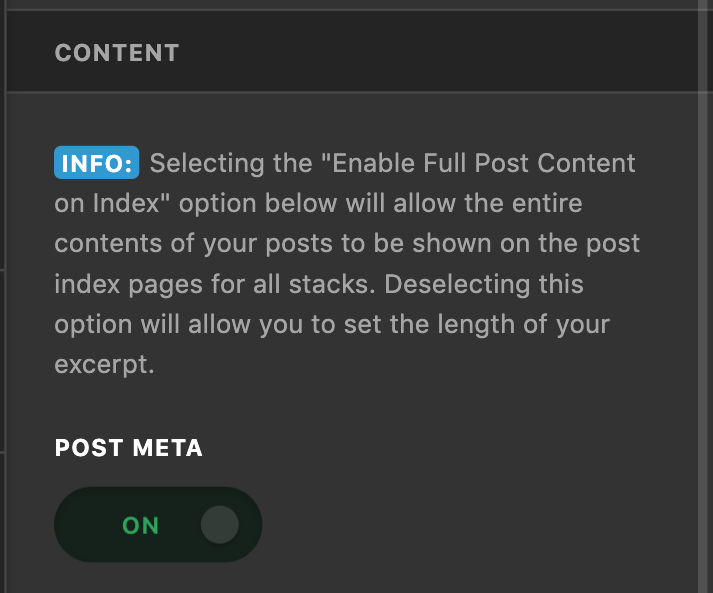
You use the Icon stack, so the post meta information will show below the title. If you want to show it otherwise you need to customize the theme which is outside of our support scope and you need to hire a developer to do so.
Our theme does not have a social media feature for the blog posts. There is a social media feature for the footer and header if you do not use the Pro header which you can find by going to Pro > Theme Options > Social. Kindly click here for more information.
If you use Pro header or Footer you can use the Social element.
If you want to have a blog sharing functionality you need to consider using a third-party plugin to do so. We do not have any recommendations for what plugin to use but you can use this guide to have a general idea of how to choose a WordPress plugin.
Thank you.
Thank you so much for your help!
This topic was automatically closed 10 days after the last reply. New replies are no longer allowed.