Adding Estimation form to header

Using a Content Area Modal, I am trying to add a Form Estimation to the header as a button and a floating window.

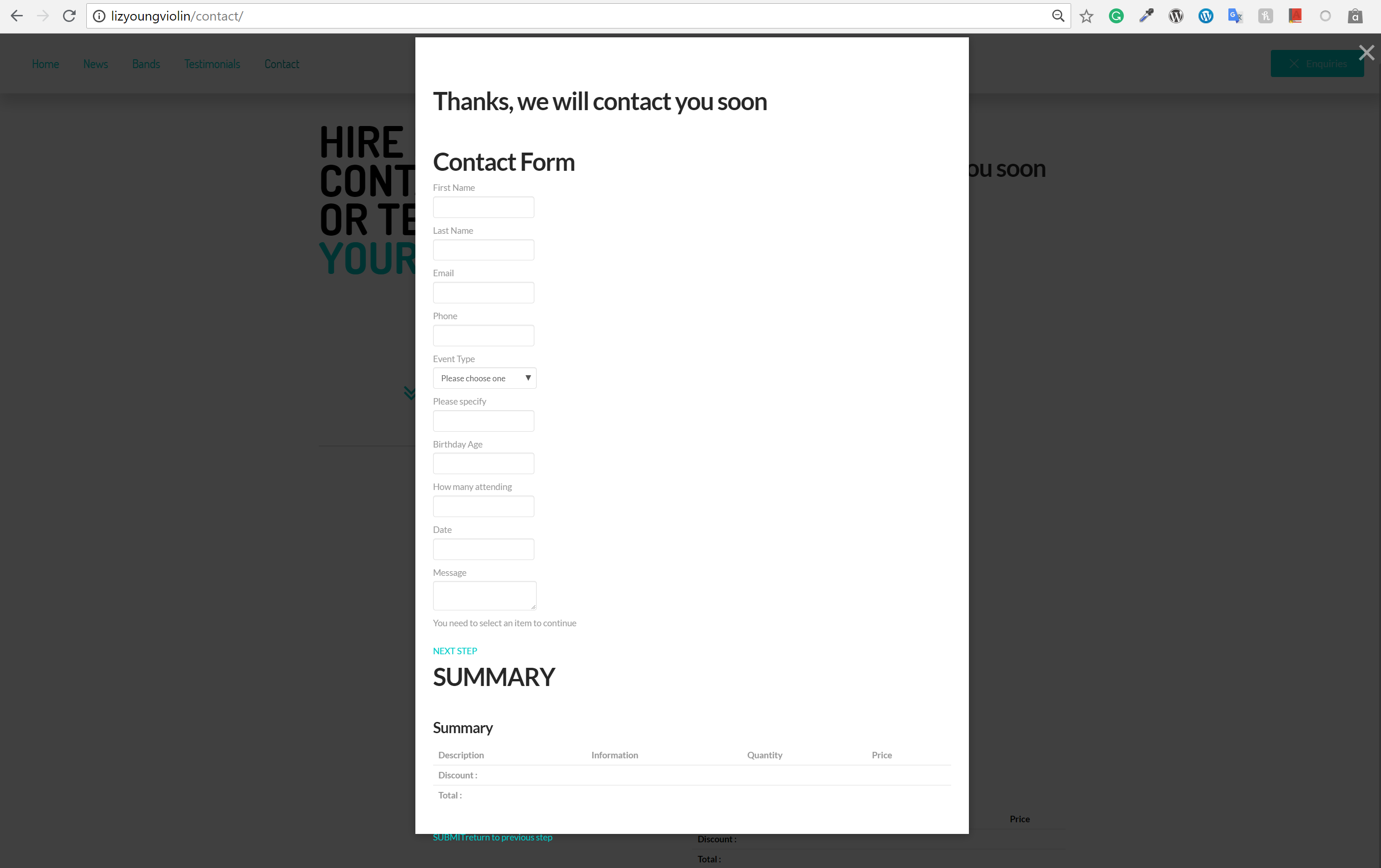
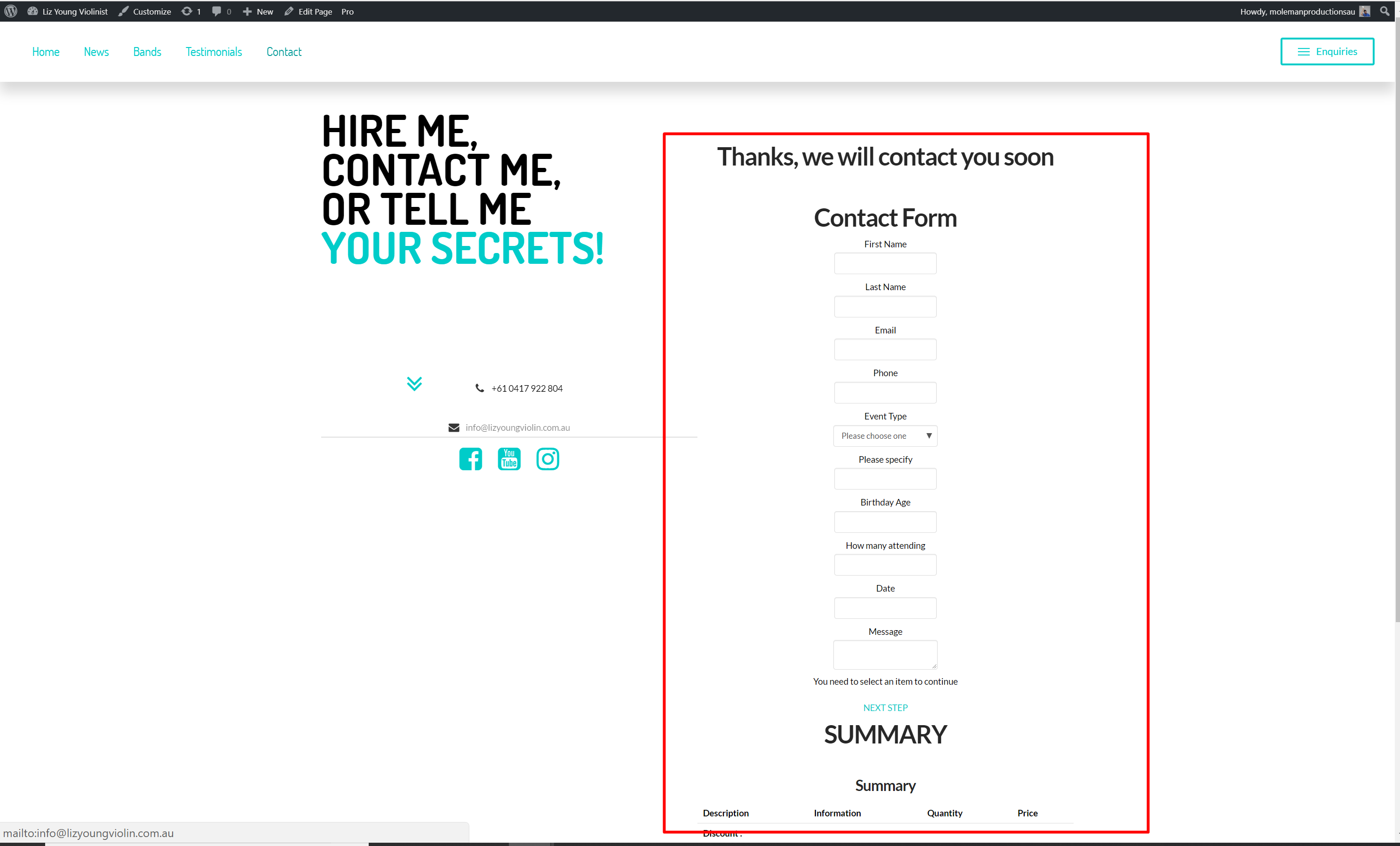
Currently it does not load how Estimation Form Displays, but instead with all the questions and messages displayed.

I have zoomed out to show the whole box on the screen in this image, as you can see everything is broken.
Hello There,

Thanks for writing in! Please be advised that the Form Estimation may not work inside a lightbox or modal. It has not been fully tested to work. Please use the Form Estimation within a page using a text element in Cornerstone or with the default WP editor only.

Best Regards.

I have the exact same problem using it within a page using the text element in cornerstone

Hi,

I tried it in my test using classic text element but I can’t replicate the issue.

Can you confirm that you have the following version numbers

X 6.1.6, Cornerstone 3.1.6
Cost & Estimation Forms Builder: | Latest Supported Version: 9.627

For more information regarding estimation form kindly refer to the link below

Thanks

Yes, that seems to be all correct and in order

Hi,

You forgot to include your site url.

Please send us a link to your site so we can check.

Thanks

Sorry,

lizyoungviolin.com

Hi @MolemanProductions,

Since a modal is a hidden element, the form can’t properly calculate and load some of it’s resources required for rendering. But I do see this issue on global block element too which means, it could be a bug. I can confirm this on my end too, I’ll add this to our issue tracker.

For now, how about adding your estimation form in a no-header/no-footer page then use iframe within your modal content. Example,

<iframe src="http://example.com/page-form/">.......

Thanks!

This topic was automatically closed 10 days after the last reply. New replies are no longer allowed.