Z Index Issue in Footer of X Theme

I’m using a calendar plug-in on a website I’m managing for a charity organization. Everything looks fine except when clicking on dates that contain events. The expanded image for the event info appears mixed in with the footer images and text like below:
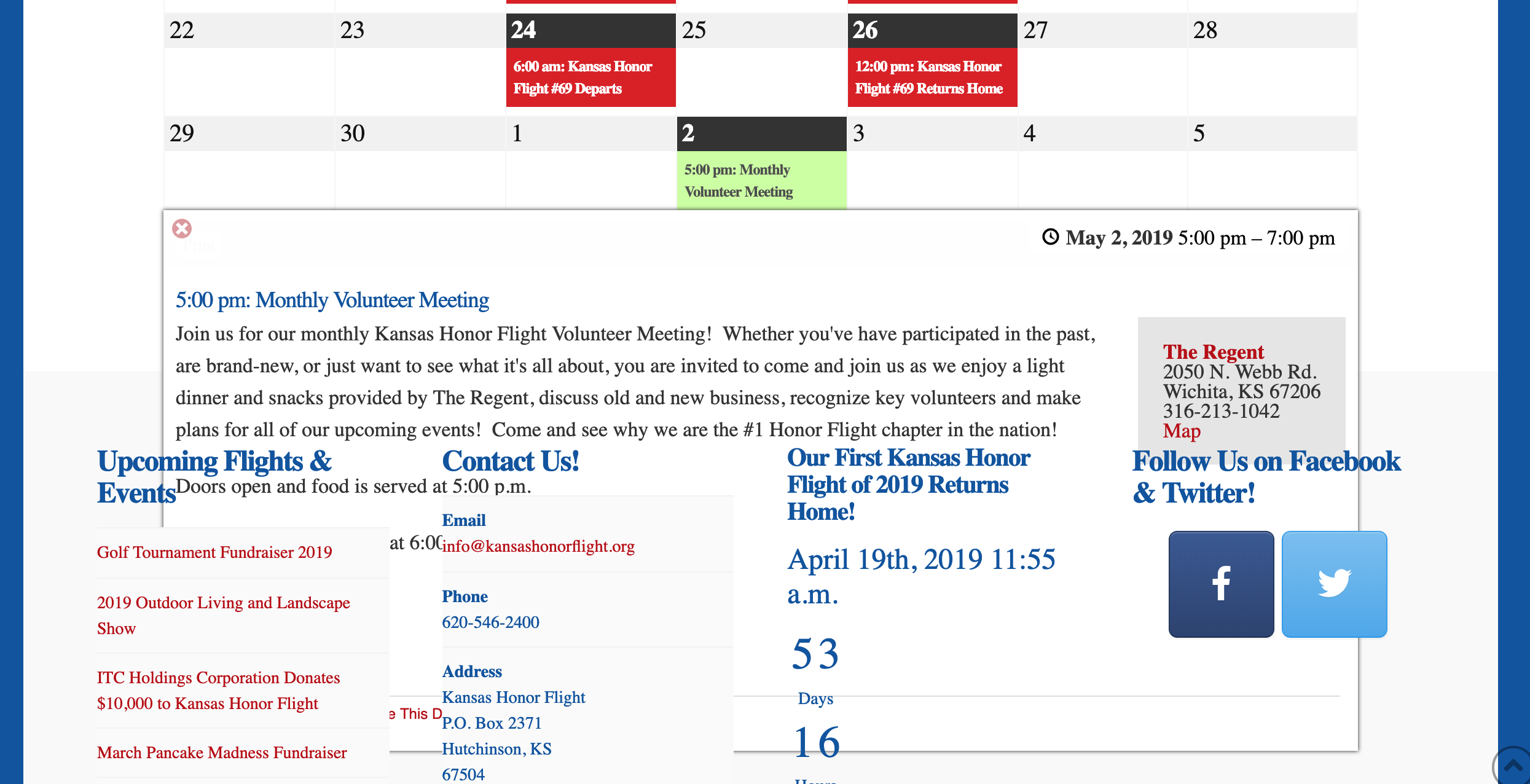
According to the plug-in support, they claim it is due to a z-index issue with the theme footer and not with the calendar plug in. Supposedly I just need to enter in a higher z-index value for the calendar plug in. I’ve tried that and it doesn’t work. Either that or I’m doing it incorrectly.

Any help fixing this is greatly appreciated.
Hello @ConjuringMind,

Thank you for the very detailed post information.

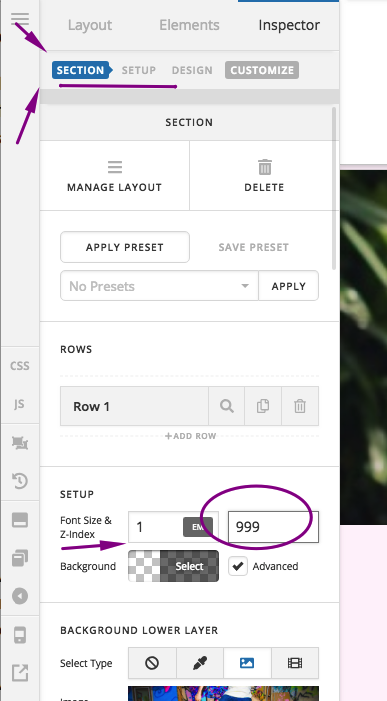
To resolve this issue, please edit the page back in Cornerstone. Find the section container of the content area which you added the calendar. You must change the z-index of the section to 999.

Please let us know if this works out for you.

Yes, it did. I knew this must be a simple fix. Just didn’t know where to adjust this in Cornerstone as I’ve always just added additional CSS whenever needed.

Thanks a million.

You are most welcome!
Thanks for letting us know that it has worked for you.

1 Like

This topic was automatically closed 10 days after the last reply. New replies are no longer allowed.