Hey there
Having an issue with this page: https://metalnetworks.ai/pricing/
It’s showing a bunch of random X-theme code at the bottom of the page, but I’m not sure why or how to fix it. Please help.
Hey there
Having an issue with this page: https://metalnetworks.ai/pricing/
It’s showing a bunch of random X-theme code at the bottom of the page, but I’m not sure why or how to fix it. Please help.
Following, as I’m also experiencing this exact issue!
Hi @Launch48,
Thanks for reaching out.
It mostly happens due to the broken HTML which is been added within the content. I have investigated and found there are few Text elements contains the opening p tag without the closing p.
And also the closing angular braces < which is the actual reason behind your issue. I would suggest you to use the Rich HTML mode of the Text element to paste any content which converts the special HTML characters to HTML entities like < in this case. It has been found in the Pricing Chart section Row 17 > Column 2 > Text. Please also check the section below the Pricing Chart which is only visible in the Mobile.
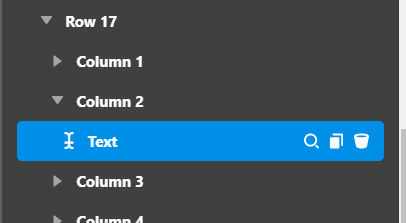
Please find the test page URL where I have rectified the above and deleted the Pricing Chart for mobile devices.
https://metalnetworks.ai/test-by-themeco/
Hope it helps.
Thanks
This topic was automatically closed 10 days after the last reply. New replies are no longer allowed.


