It just shows me the spinning X logo. Can’t get past it.
I tried clearing cache and that did not help.
Kevin
It just shows me the spinning X logo. Can’t get past it.
I tried clearing cache and that did not help.
Kevin
Hello Kevin,
Thanks for writing in! A loading screen would probably because you have exhausted your PHP memory limit. By default, WordPress will attempt to increase memory allocated to PHP to 40MB (code is at the beginning of /wp-includes/default-constants.php) for single site and 64MB for multisite, so the setting in wp-config.php should reflect something higher than 40MB or 64MB depending on your setup.
We recommend that you increase your memory allocated to PHP. To increase it, please edit your wp-config.php file and insert these lines:
define( 'WP_MEMORY_LIMIT', '256M' );
define( 'WP_MAX_MEMORY_LIMIT', '512M' );
You can add it before the line
/*That's all, stop editing! Happy Blogging. */
We would loved to know if this has work for you. Thank you.
Hello. I tried your suggested solution yet the problem still persists.
Please advise.
Kevin
Hi Kevin,
Please try to check and make sure that the theme and the plugins are updated to the latest version. If the issue persists, you could try testing for a plugin conflict. You can do this by deactivating all third party plugins, and seeing if the problem remains. If it’s fixed, you’ll know a plugin caused the problem, and you can narrow down which one by reactivating them one at a time.
Let us know how it goes!
Hello. I deactivated all plugins and the problem still remains.
Please advise.
Kevin
Hello,
In that case, please provide your login credentials in a secure note.
Thanks!
Please see secure note attached.
Hi There,
Instead please go to X > Theme Options
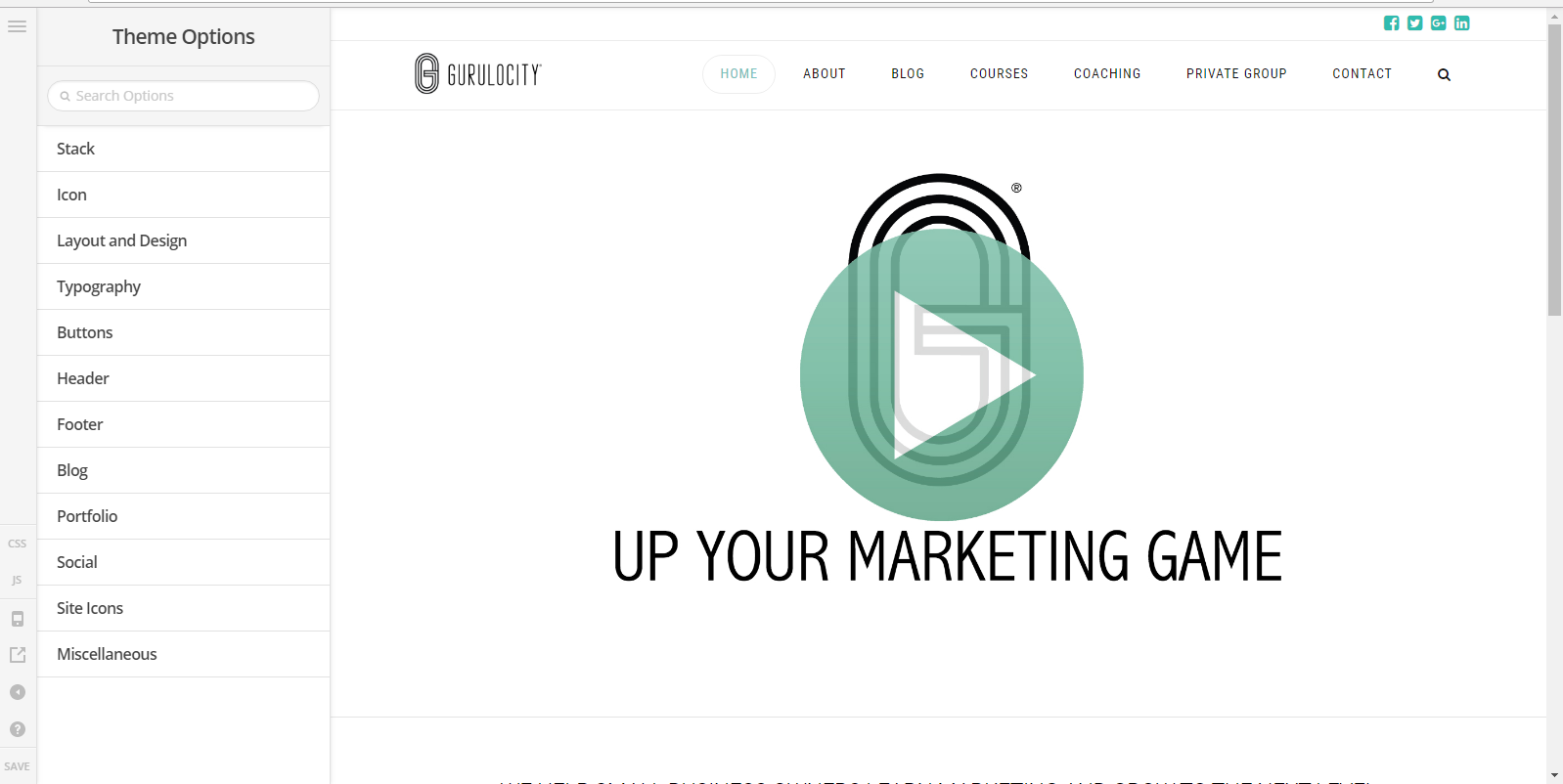
It does load fine on my end.
Hope it helps
Thank you. I do not see an option to update the site title/tagline in the X options.
Under settings in Wordpress there is an option to update site title/tagline. However, changing it in Wordpress it is then NOT reflected throughout the site.
How can you update the site title/tagline for the site and/or individual pages when X theme is installed?
To clarify, I do not need to display the tagline on the pages, just update the description so that when it is scraped, the new tagline shows (e.g., on social media).
Thank you for your assistance.
Kevin
Hi Kevin,
Are you referring to this (https://prnt.sc/iho09e)? This setting is going to take effect sitewide.
Maybe you’re referring to the Open Graph, if so since you have Yoast SEO, you will have the social Open Graph settings just below the page editor.

Make sure you always fetch new scrape information here: https://developers.facebook.com/tools/debug/og/object/
And please turn off the built-in open graph feature to avoid conflict, that is under Theme Options > Social
Cheers!
Thank you. It was the built-in open graph feature that was causing the conflict. I have disabled it and am now able to update it through Wordpress/Yoast.
Kevin
Glad to hear it and thanks for letting us know!
This topic was automatically closed 10 days after the last reply. New replies are no longer allowed.