Hi, guys, can you help me with this?
I want to make a website with passepartout. Dat means that website must have a frame with 25px width (margin).
Thanks )
Hi, guys, can you help me with this?
I want to make a website with passepartout. Dat means that website must have a frame with 25px width (margin).
Thanks )
Hello Philipp,
Thanks for writing in!
To add a frame with a 25 width in your site, please add the following CSS code in the X > Theme Options > Global CSS (http://prntscr.com/evui3r)
body {
    border: solid 25px #fff;
}
We would love to know if this has worked for you. Thank you.
I have tried this but the bottom and top border are not always visible. Is there a way to always have the full border always visible?
Hi @rogue9ray,
Thank you for reaching out to us. I believe you’re using Ethos stack and I tested the above code in one of our demos and the code works fine. White border color might be merging with your site’s background, you could try this code instead:
body {
    border: solid 25px #8f31b6 !important;
}
Don’t forget to clear all caches including your browser’s cache after adding the code. Let us know how this goes!
Thanks, bro ) but it not what i want ) your solution will make a border around whole body. I want another thing. This border (frame) must always be in viewport and all content must be inside of it. Look at my screenshot. It shows that is your page width will be more than your viewport size you will have an ability to scroll and your top bored or bottom border always will dissapear from screen.
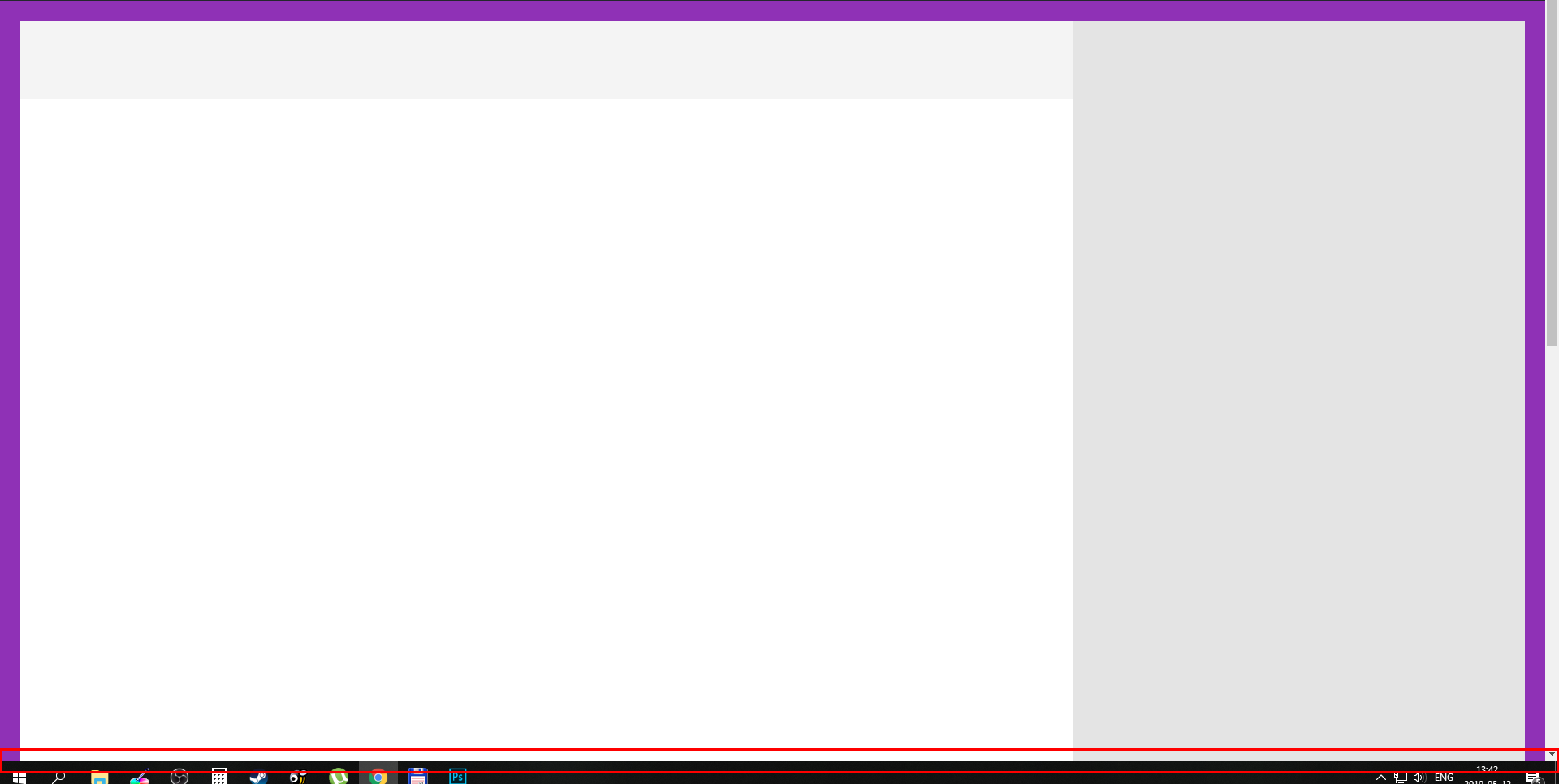
I just want to have whole content inside this UNSCROLLABLE FRAME witch always will be at screen )
Hello Philipp,
If that is the case, please have the given css code updated and use this instead:
body {
    border: solid 25px transparent !important;
}

body:after{
    content: "";
    border: solid 25px #8f31b6 !important;
    display: block;
    position: fixed;
    width: 100%;
    height: 100%;
    top: 0;
    left: 0;
    z-index: 999999;
}
We would love to know if this has worked for you. Thank you.
That do the trick. Thanks. BUT 
z-index: 999999;
will overlay #wpadminbar, so i just delete it. Thanks! Thanks! Thanks! Great support!
You’re welcome. The code might cover the whole or parts of your page with a lower z-index value so you need to check the links in your page to see if they’re clickable. That’s just something to keep in mind.
Many thanks!
No problem.
If you need anything else we can help you with, don’t hesitate to open another thread.
This topic was automatically closed 10 days after the last reply. New replies are no longer allowed.