Hi,
on a customers website there is more space between the menu items after the last update of X theme.
It is a vertical side menu.
In the theme options it is not possible to change the paddings.
the css outpu says:
x-navbar calc(30px - 13px / 2)
Where I can fix this?
Thank you!
Hannes
Hello Hannes,
Thanks for writing in! You can adjust the top and bottom padding of each menu item by going to X > Theme Options > Headers > Links (Alignment) and adjust the Side Alignment to 15px.
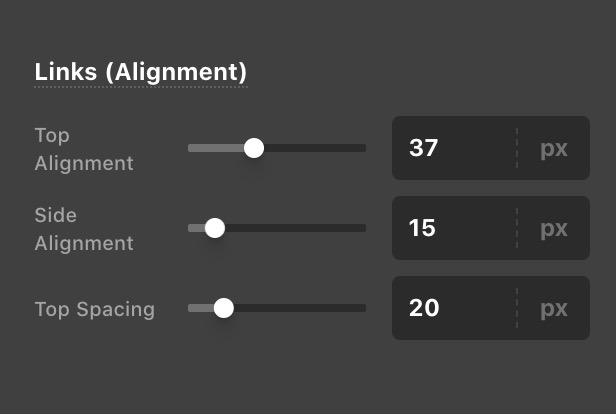
Kindly let us know if this has worked out for you.
Thanky you - it works!
Why is it called “Side Alignment”?
Hey @salilou,
Side Alignment is for setting the left/right spacing of the menu item when you set it to fixed top or static.
Hope this helps!
Thank you!
I wish you a merry Christmas time!
A merry Christmas to you too!
This topic was automatically closed 10 days after the last reply. New replies are no longer allowed.