.x-container rule inside "cs-theme-options-generated-inline-css" vanishes when editing CSS

When editing ANY CSS, the .x-containerrule vanishes because cs-theme-options-generated-inline-css vanishes from the DOM. I’ve recorded a gif to help demonstrate it.
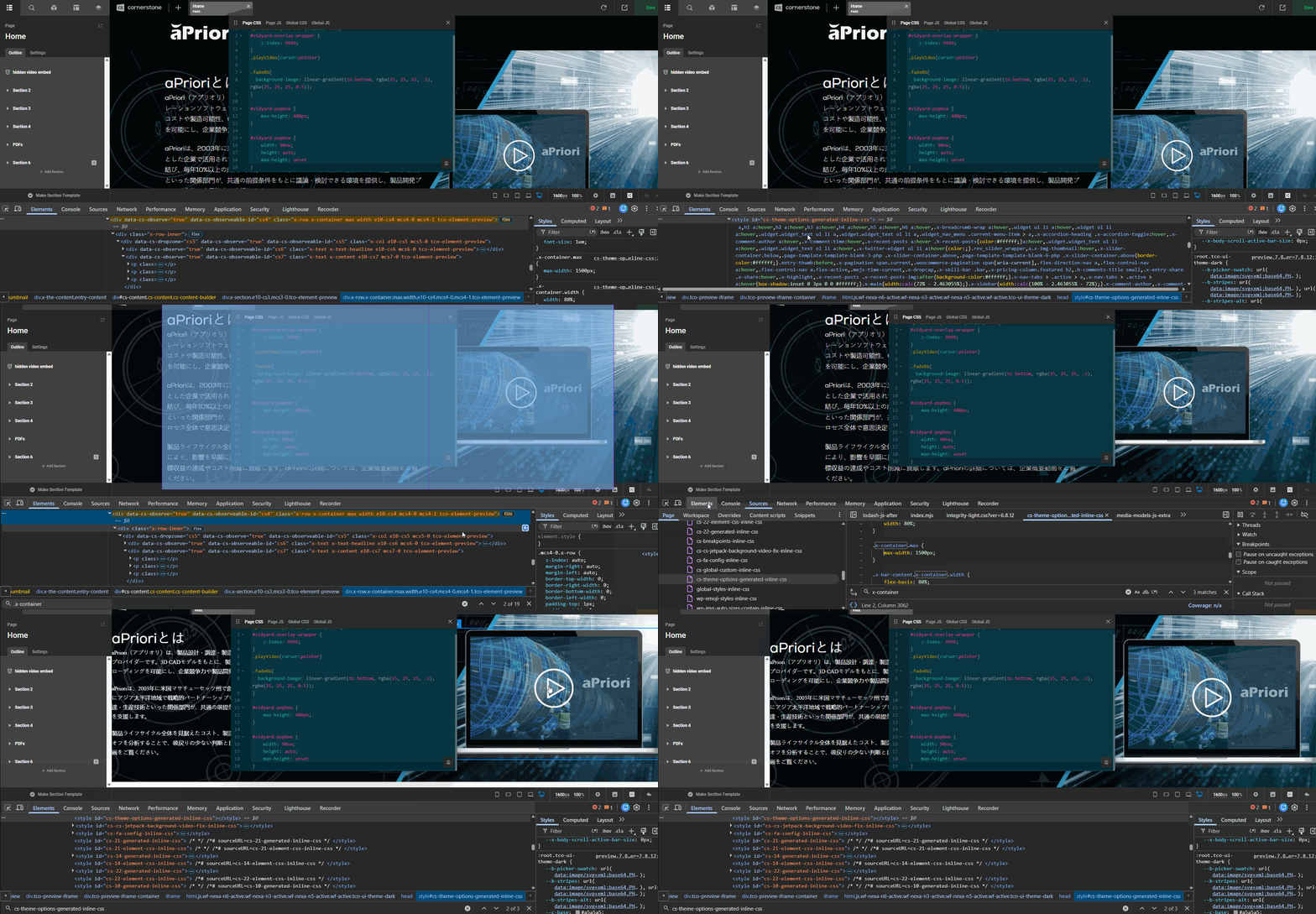

In the GIF I am demonstrating that .x-container defines the max-width of the container, and that cs-theme-options-generated-inline-css is the source of this, shown in the Sources tab. And then when I simply make ANY edits to the CSS (in this case, I simply add a space) it removes the entire block in the DOM for cs-theme-options-generated-inline-css which effectively removes .x-container - which then bugs up the view and I cannot accurately work on our site.

I can also confirm this bug only exists somewhere in Pro between versions 6.8.9 and 6.8.12 - as I have multiple sites with Pro installed, and just tested on 6.8.9 and it works fine, but the moment I update the same site to 6.8.12 it breaks.

After investigating further, it looks like the problem is in /wp-content/themes/pro/framework/legacy/functions/frontend/styles.php on line 100 and the fix is to change…

cornerstone_register_styles('theme-options-generated', x_get_generated_css(), 0 );

to

cornerstone_register_styles('x', x_get_generated_css(), 0 );

That single change causes the legacy stylesheet containing:

.x-container.width { ... }
.x-container.max { ... }

to change from:

cs-x-inline-css

to the disappearing cs-theme-options-generated-inline-css section.

The reason any CSS breaks it
Cornerstone’s preview JavaScript actively watches style[id^="cs-theme-options-generated"] and when document settings change (including custom CSS) it calls:

{
  type: "generate-theme-options"
}

…and replaces that style element’s contents.

The regression happened when 6.8.12 placed Pro’s legacy generated stack CSS under the identifier the JavaScript assumes belongs to its newer Theme Options generator.

The regenerated output does not recreate legacy stack rules such as .x-container , so those rules vanish… and boom goes the .x-container's width

Hopefully this can be fixed in future updates to Pro.

Right now we are running manual updates for Pro 6.9.0. I don’t seem to have this issue when using that version. Do you have this issue on Pro 6.9.0?

No. It seems to be fixed in Pro 6.9.0, specifically due to this file:
/public/wp-content/themes/pro/cornerstone/includes/classes/Services/Tss.php

The code that seemed to fix the issue was…

// Add stack CSS so the preview refreshes it when a theme option changes.
if (cs_stack_is_custom()) {
  $css = cs_dynamic_content(cs_stack_custom_css()) . "\n" . $css;
} elseif ( ! empty( $variablesCss ) && function_exists( 'x_get_generated_css' ) ) {
  $css = x_get_generated_css() . "\n" . $css;
}

… the critical line being $css = x_get_generated_css() . "\n" . $css;

The reason this fixed it is because while Cornerstone still replaces the same style element (as I show in my gif) it now explicitly prepends x_get_generated_css() to the replacement, and therefore the .x-container rules survive the refresh.

Thanks for the clarification @charlie.

1 Like

Okay thanks for confirming. Have a great day.

This topic was automatically closed 10 days after the last reply. New replies are no longer allowed.