WPML translation editor is not showing in full

Hello

WPML translation editor is not showing up all the text to translate from English to Spanish when trying to translate each page. I changed from WPML’s Advanced Translation Editor to WPML’s Classic Translation Editor. Would you please check this?

Thank you
Hey @cf_printing,

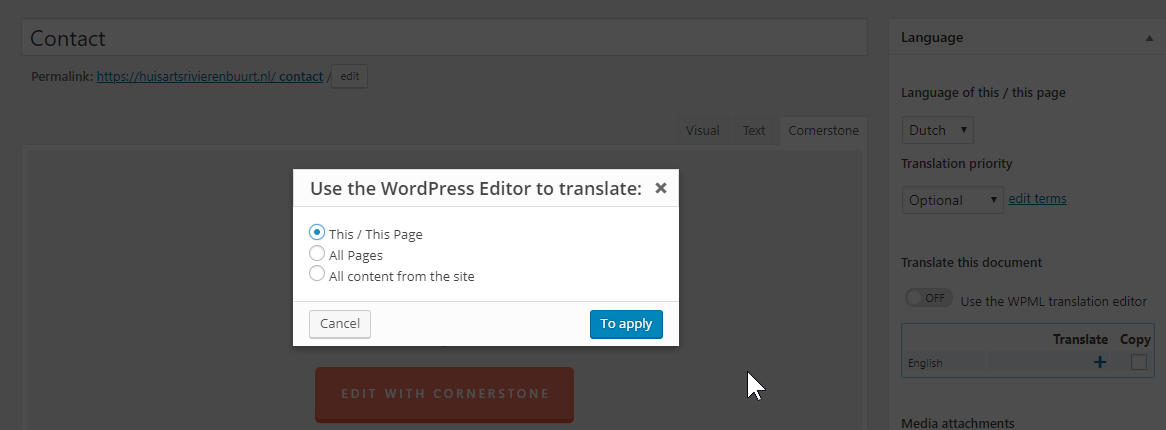
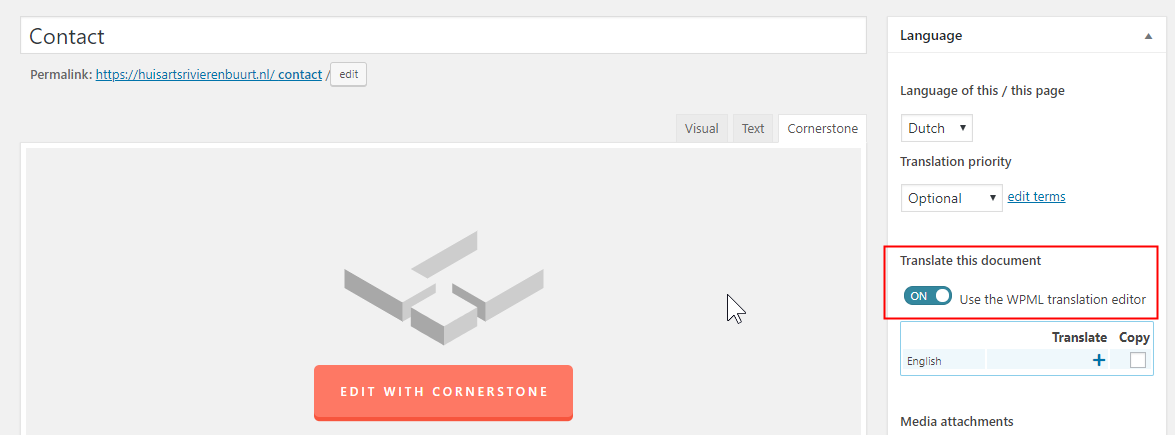
Was your page built using Cornerstone? If so, you should not use neither the Advanced Translation nor the Classic Translation Editor. When you’re going to translate a Cornerstone page, disable the WPML Translation Editor first.

You can do that for one page or your whole site if you plan on using Cornerstone sitewide.

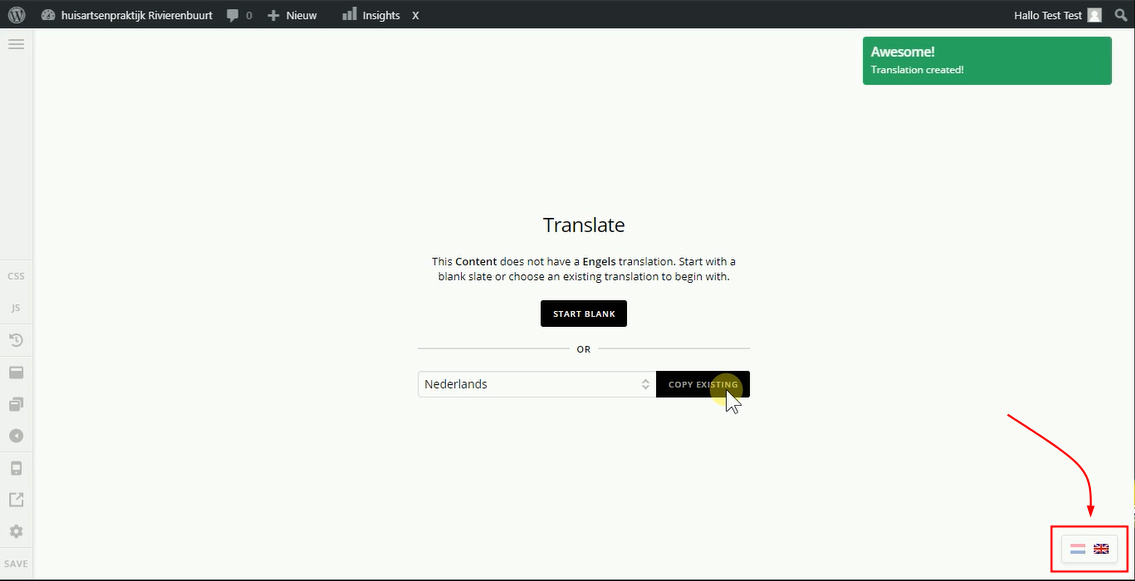
Translate Cornerstone pages using the Translation Flags or Buttons within Cornerstone.

If your page was built using the WordPress editor, please contact WPML support.

Thanks.

Hello Christian,

I do not wish to use Cornerstone and therefore I kept the “WPML Translation Editor option” on. There is a problem though… When I went under the ‘WPML’ tab on the lefthand side and clicked ‘Translate’, the English text is not showing up. Why is there only a limited amount of text being translated such as ‘request a quote’ or ‘x icon type’ or the title only?
All I want is to be able to use the WPML Translation editor successfully for the rest of the pages.
What is going on?

Hi @cf_printing,

Once you use the cornerstone, you have to use cornerstone when translating it too and it’s unavoidable since v2 elements are only readable within the builder. Please use cornerstone for manual translation of your cornerstone-built pages, else, you can use translation editor if you created your page content through standard/classic Wordpress editor.

Thanks!

This topic was automatically closed 10 days after the last reply. New replies are no longer allowed.