Good Morning,
in manager translation I do not get to modify the Contact Form7 shortcode …
How can I modify it to insert the one that corresponds to your language?
Good Morning,
in manager translation I do not get to modify the Contact Form7 shortcode …
How can I modify it to insert the one that corresponds to your language?
Hi Mauro,
Thanks for reaching out.
Would you mind providing a screenshot of what you’re seeing? Or are you using the WPML’s string translation? You shouldn’t, you should translate it manually by creating a copy of a page into their applicable language counterpart. Please check these https://theme.co/apex/forum/t/wpml-only-part-of-website-is-showing-for-translation/37686, https://theme.co/apex/forum/t/translating-website-pro-with-wpml/41383 and
With manual translation, you’ll able to edit the content and elements directly to the builder instead of just changing its text.
Thanks!
Good day,
I attach the screenshot. My question is if I copied the page to translate it individually for each language … do not overwrite what I have already done?
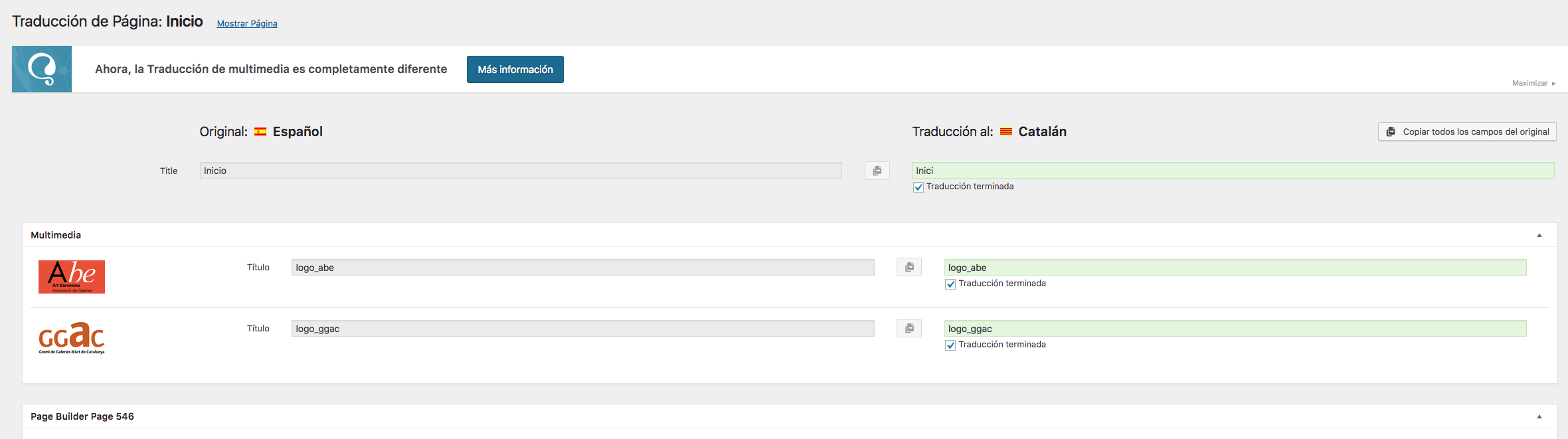
Hi Mauro,
It may not overwrite what you already did since manual translation is saved within the builder’s content. BUT, whatever you done will not be visible since it will display the content of the translated page and not the string translation from your screenshot. And we don’t recommend that kind of string translation for the builder, WPML offers multiple options but manual translations is the one the fit best for cornerstone.
Thanks!
This topic was automatically closed 10 days after the last reply. New replies are no longer allowed.