WPCourseware mods not compatible, X theme

Hi, am trying to use the following suggested mods but can’t figure out the classes that work with them in X theme. Please advise :slight_smile:

Advised mods:
http://support.wpcourseware.com/category/195-css-mods

Ideally, I’d like:

(A) Next/Previous button: to inherit the ethos stack post “entry-thumb featured skinny” class style with previous and next post title instead of simply ‘previous’ and ‘next’

(B) Mark as completed button: in similar style to “entry-thumb featured skinny”, or change of color and padding

© Module row on course outline and widget: to change padding as well as colour

Thanks!
Hello There,

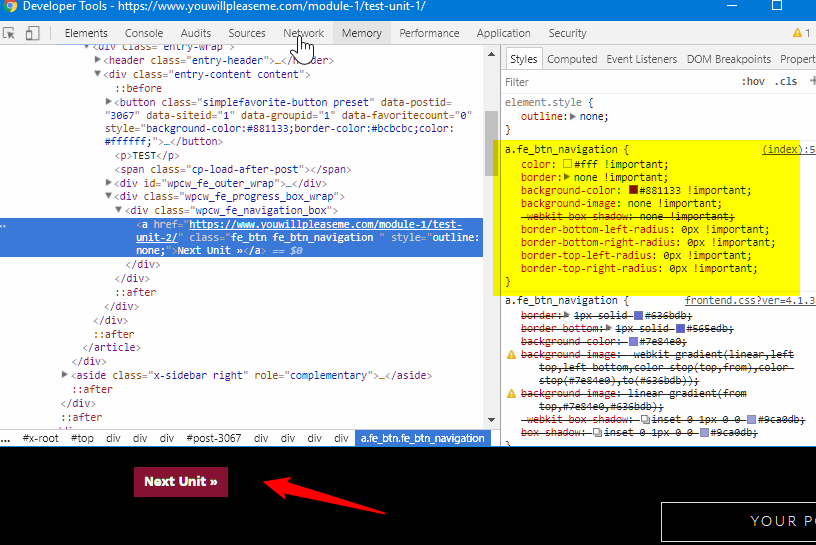
I can’t access the link because I need to login to see the content. Although, to achieve what you want, we just need to use browser dev tools to access the correct element. On your site, right click the element, then use that class. For example, see this: https://screencast-o-matic.com/watch/cbQT1qIO80. When we inspect a certain element, we can see it will have a hover to know which element we’re selecting. Then add the custom styles. From ethos site blog page, inspect the prev/next element and copy the styles available. Inspect the course page where you want to add those style and then. If you achieve the style you want, copy the CSS on your customizer. It is like designing it on the browser first to see how it looks before adding the CSS on the customizer.

Hope this helps.

Thank you for the detailed reply. But I still can’t quite figure it out. I’ve created a login for you. Thank you.

Hey @anitahawkins,

First, please be informed that your request requires providing the CSS for a third party plugin. That is custom development and is outside the scope of our support. What we can do here is show you or guide you and other users to know how to copy Ethos’ button style to your third party plugin’s element but the actual implementation of the code and maintenance of it would be your responsibility.

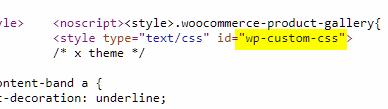
I see the Next button could not be overridden because you have this CSS in your WP Custom CSS.

Please remove that first and give us full wp-admin access so we could show you exactly what to do.

Thanks.

Ok thank you. I’ve give you admin access.

Here’s the code for your Next button.

a.fe_btn_navigation {
    border: 0;
    border-bottom: 0;
    background-color: transparent;
    background-image: none;
    background-image: none;
    -webkit-box-shadow: none;
    box-shadow: none;
    color: #fff;
    -webkit-transition: color 0.3s ease,background-color 0.3s ease;
    transition: color 0.3s ease,background-color 0.3s ease;
    border: 1px solid #fff;
    padding: 0.5em 1em 0.535em;
    font-size: 12px;
    text-transform: uppercase;
    border-radius: 0;
}

a.fe_btn_navigation:hover {
    background-color: transparent;
    background-image: none;
    background-image: none;
    -webkit-box-shadow: none;
    box-shadow: none;
    color: #333 !important;
    background-color: #fff;
}

You can add the other button’s selector there like this:

a.fe_btn_navigation,
a.fe_btn_completion {
/* styles */
}

And for the hover:

a.fe_btn_navigation:hover,
a.fe_btn_completion:hover {
/* styles */
}

But, your completion button has some styles overriding it so simply adding it won’t work. You need to remove the styles that are overriding it. If you have no idea how to do that, please hire a web developer.

Here’s how to copy styles from Ethos.

Hope that helps.

I actually wanted to change the text so that it read with the next units title - but it looks like I’ll need dev help then. Thanks!

You’re welcome.