WP Store Locator works on X, not on Pro

Hello!

I believe there’s a conflict with Pro and WP Store Locator where the map filters and controls are unusable.

I created a separate staging site with Pro, X, and a fresh version of WP Store Locator installed. Note, I did not completely start from scratch with Pro.

I was able to access all controls for WPSL when X was active. The controls no longer worked once I reactivated Pro.

I welcome your insights :slight_smile:

Hey @WaggingLabs,

Thanks for reaching out!

We can’t see the page because there’s another popup user/password, please provide us with the credentials so that we can check on it properly.

Thank you.

apologies! Just provided access in secure note

Hello @WaggingLabs,

I have investigated your issue and I found out that your Bar element is overlapping the fields.

This is why as you hover on the map form, you are actually hovering the Bar element which is why you cannot click on the fields. To get this resolve, you need to do the following:
1.) Edit your custom header.
2.) Set the height of your Bar3 element to auto or 1.

3.) In your Container, insert a DIV element and then place all your elements inside the DIV element like this:

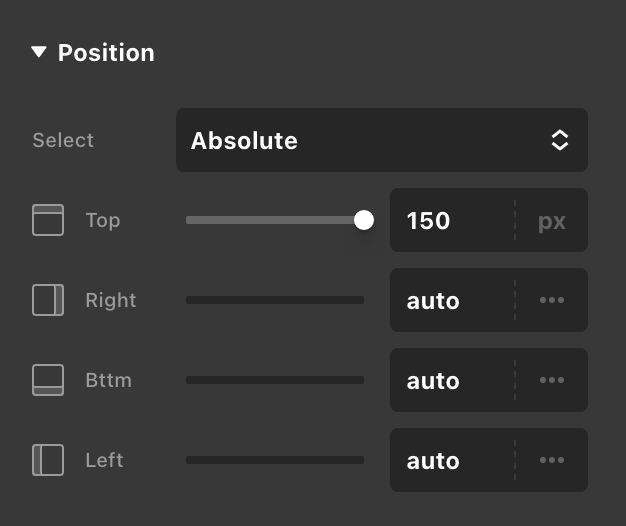
4.) And the positioned your DIV element as “Absolute”.

Kindly let us know how it goes.

Thanks @ruenel for finding a solution to the problem I created with my bar. :slight_smile:

For anyone else, I added an offset value of 150px to the Div position so that the button would remain visible after scroll.

you are most welcome, @WaggingLabs.

This topic was automatically closed 10 days after the last reply. New replies are no longer allowed.