Woocommerce Widget design

Hello again,

one more quick question :

website : https://la-seve.fr/boutique/
PRO : 4.3.3
WP : 5.7.2

When i load this page :
https://la-seve.fr/boutique/

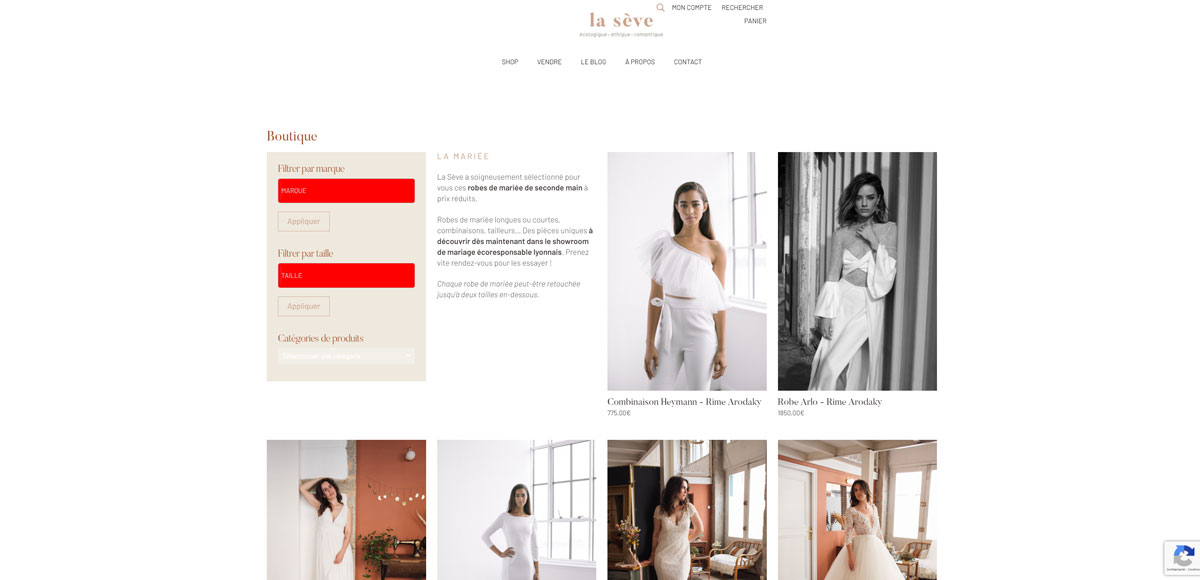
As you can see there is two designs of the widget being loaded, the first one is the one i want and the one i see on my PRO backend. But when the page is fully loaded, it loads over another css rules dans changes the design. In order to make it clear i changed the background of it to red.
Want i want to achieve is the “normal” background + the display of the categories selectable. What styling should i erase in order to make it appear properly ?

thank you

Hi @Thaelys,

Thanks for reaching out.
I have checked the given URL and found two widget is loading in the page and as you mentioned it is in red background. If you are trying to change the Background color red, you need to remove the custom CSS code added to the site.
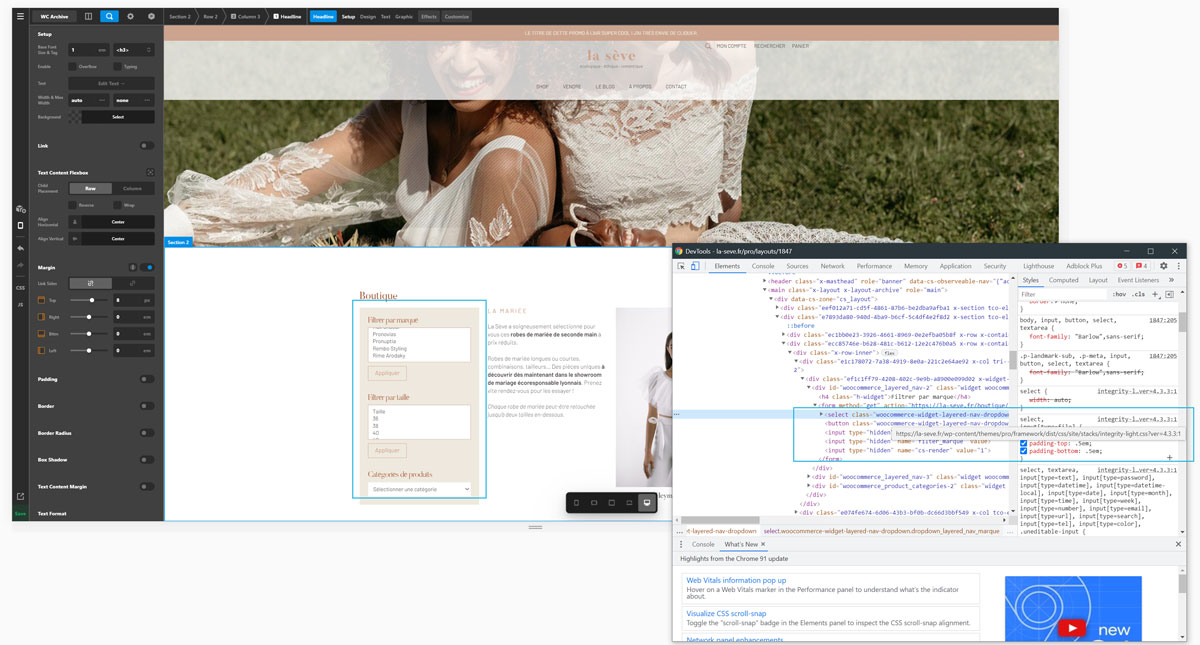
Please find the screenshot showing the code responsible for that.

Hope it helps.
Thanks

I did create this rule on purpose just to make sure i was looking at the right place.
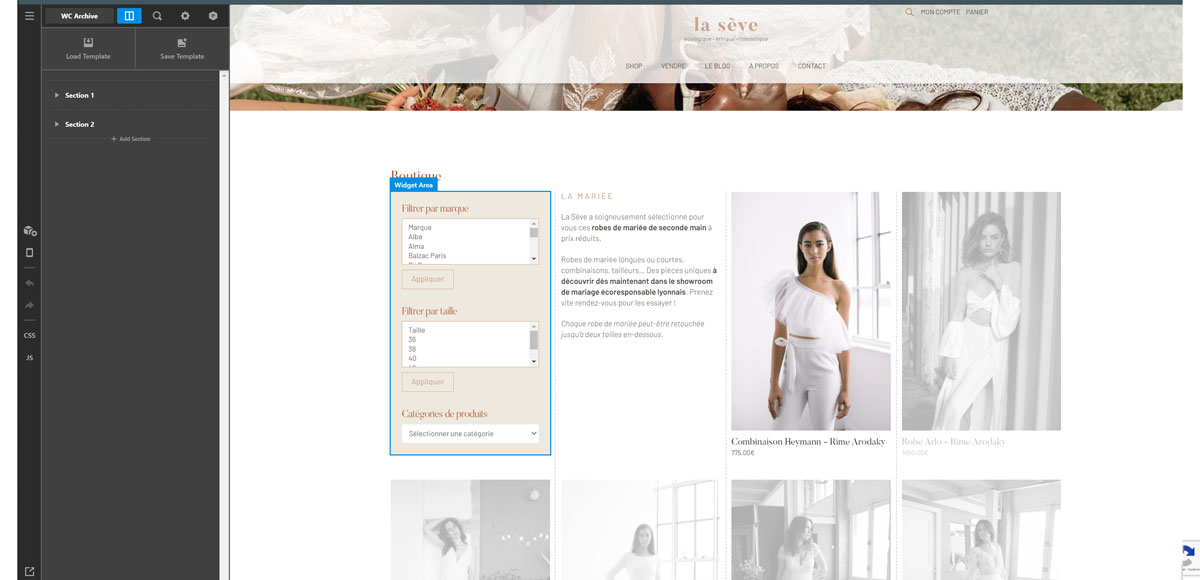
What i want to achieve is done already here in my “PRO” settings, but it seems to be a different ruleset that is going live, see the screen attached.!

I tried to add this rule in my function.php child theme, but no results yet :

add_filter( ‘woocommerce_enqueue_styles’, ‘__return_false’ );

Hi @Thaelys,

The code will remove the WooCommerce default styles from your website. But the style in the mentioned section is coming from the custom CSS code, not from the WooCommerce
Can you please specify that any styles still coming from the WooCommerce, after you have added the following code?

Please remember that we don’t offer any support or investigation to custom codes or related issues.
Thanks

Thank you for you answer.
Just so we are extra clear.

I want this, to appear when i reach the page :

It works very well on PRO, no custom CSS or anything on that one.

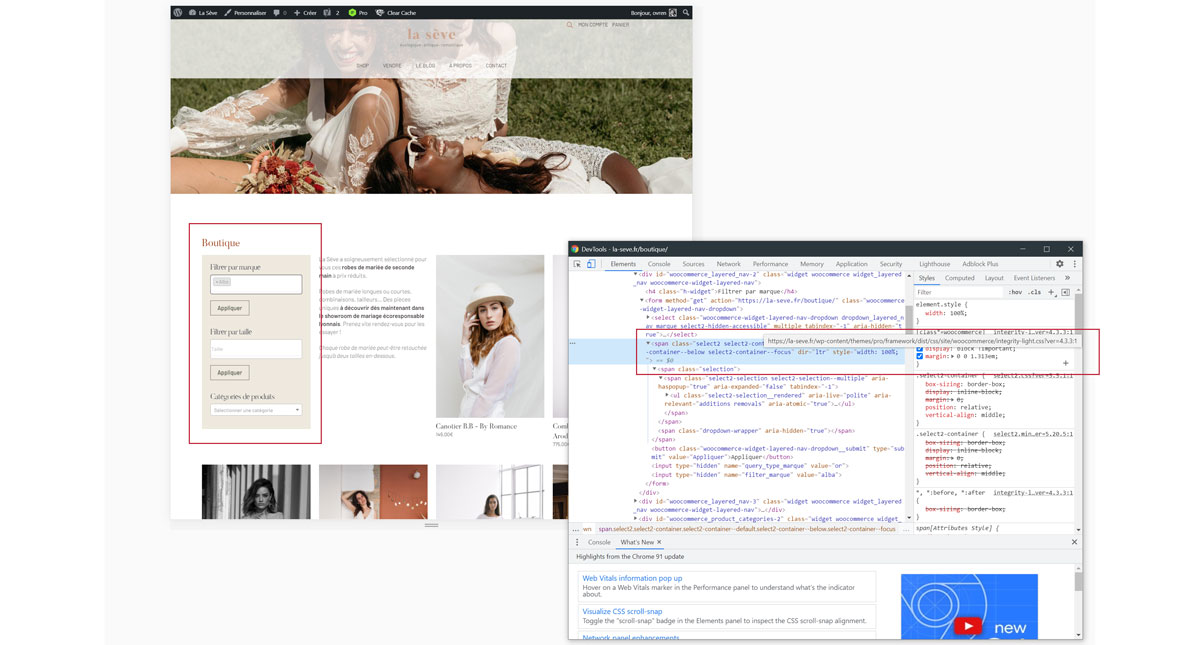
But when i load the page, i get this result. It is not the same.

Furthermore, when you load the page, the first design appear very briely, for less than a second, then it is erased by that new design.

In those screenshot i show you, there is not a single line of my own CSS.
This stuff happens purely with PRO + WOOCOMMERCE.

I know it is not custom investigation, as it may be related to a bug. Why is my filter widget not displaying the same result on PRO and on my webpage ?

Hello @Thaelys,

The WooCommerce styling was not applied while you are in the Pro preview builder. As soon as you view the page, the WooCommerce Select2 is applied. To resolve your issue, kindly check out these help articles:

Kindly let us know how it goes.

Hello,

The stack overflow solution worked as i wanted to. Thank you very much !!!

You are most welcome @Thaelys

This topic was automatically closed 10 days after the last reply. New replies are no longer allowed.