Hello, X-Masters.
How I can create equal grid for list of products?
Like the screenshot (and like on all X-demos).
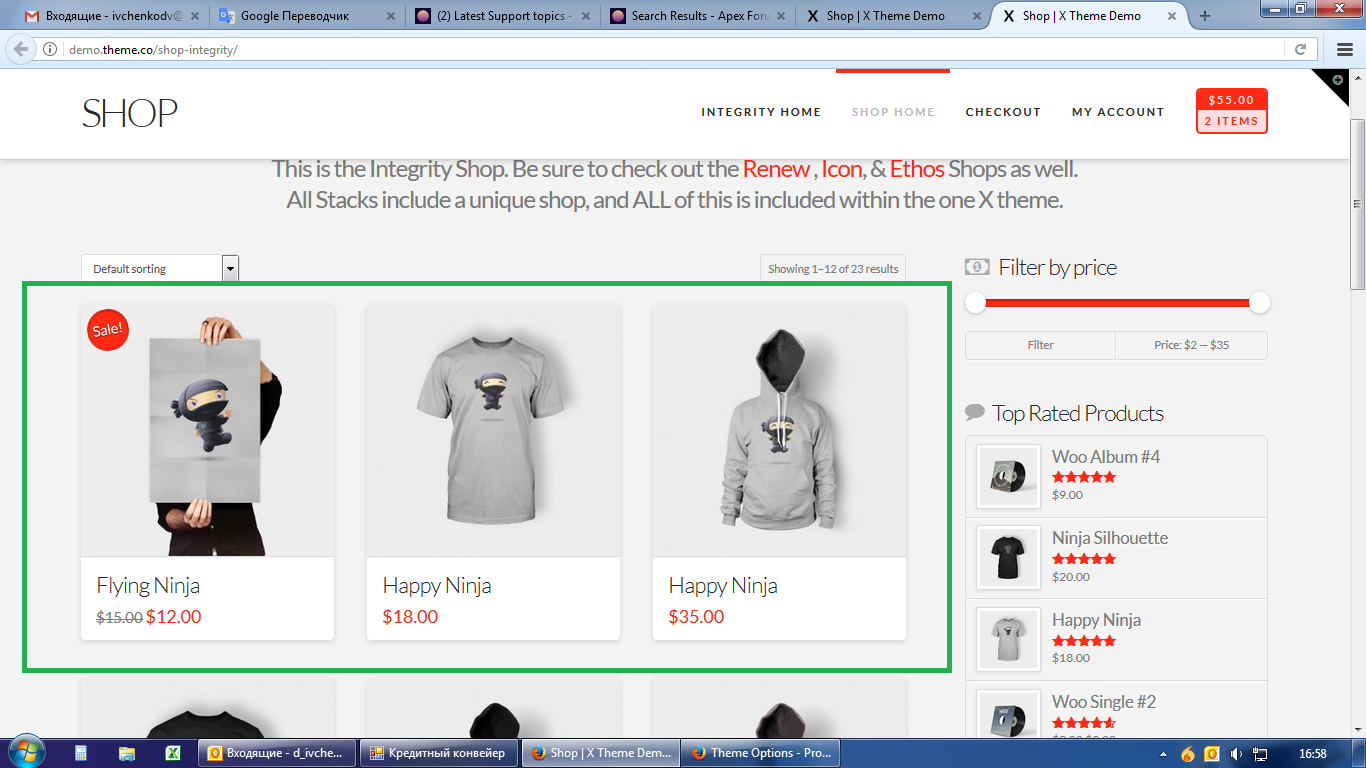
Thank you for your tip.
Now I have like this…
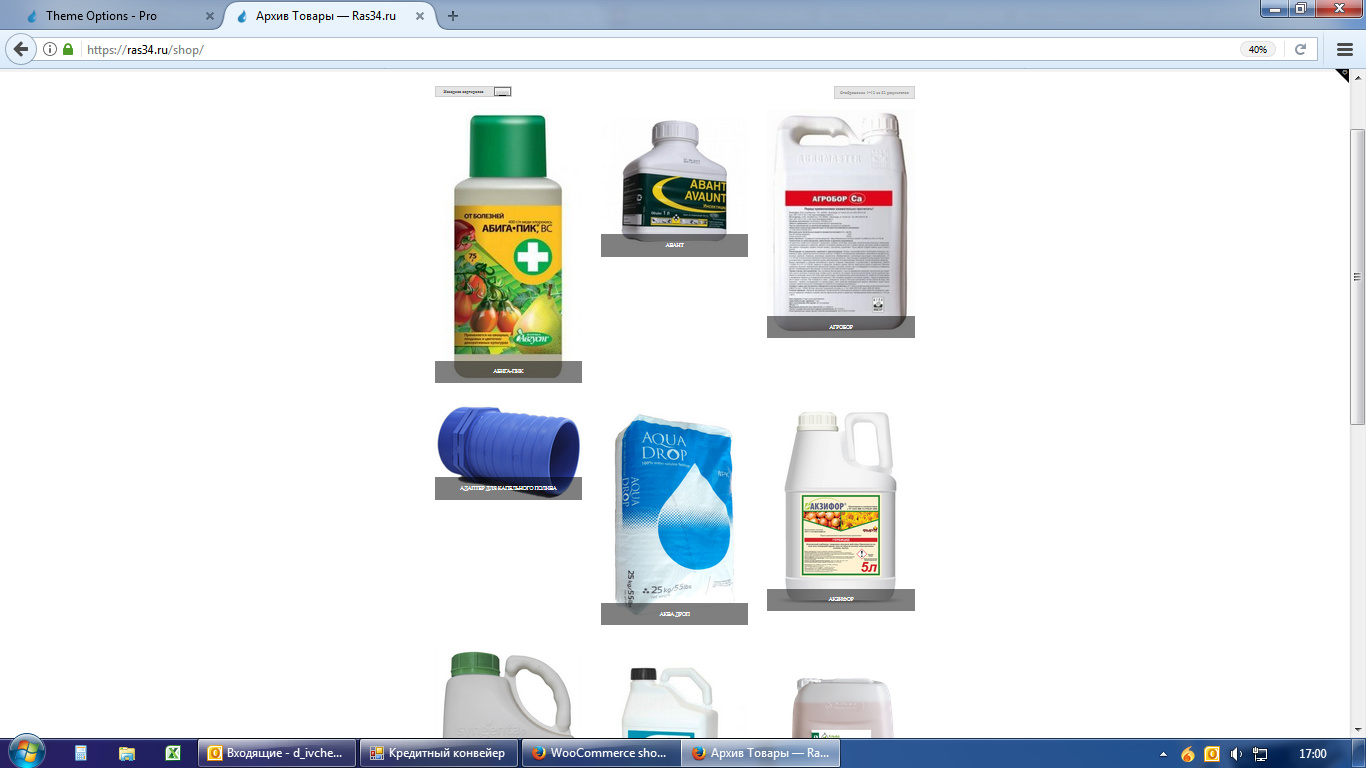
Hello, X-Masters.
How I can create equal grid for list of products?
Like the screenshot (and like on all X-demos).
Thank you for your tip.
Now I have like this…
Hi There,
I would like to check your website but it’s under construction mode. Would you mind turning it off or providing us with your admin account so we can take a closer look?
I recommend you to use the same size for all product images(1000x1000px).
Let us know how it goes!
Hello,
Please look at my site and help me to solve the problem.
Hi @IvchenkoDV,
Please go to Admin > Appearance > Customize > Woocommerce > Product Images and set the size to 600 or 900. On the same settings section, set the Thumbnail cropping option to 1:1. This makes sure the image will be cropped in the square (even size). Then install Force regenerate thumbnails plugin and generate your images.
BUT, cropping will only take effect on uploaded images larger than the set size (eg. 600 or 900). The sample image is this https://ras34.ru/wp-content/uploads/2017/05/abiga-pik-image.jpg. Its size is just about 226x420.
So regardless of your configuration, your shop view will remain the same unless you’ll upload larger images like 600x600, 600x800, 900x900, 900x1920, and etc.
Thanks!
Thank you for useful tips.
I will follow that.
You’re welcome.
This topic was automatically closed 10 days after the last reply. New replies are no longer allowed.
