Woocommerce Products Layout Differs From Pro Preview To Live Website

Hi,

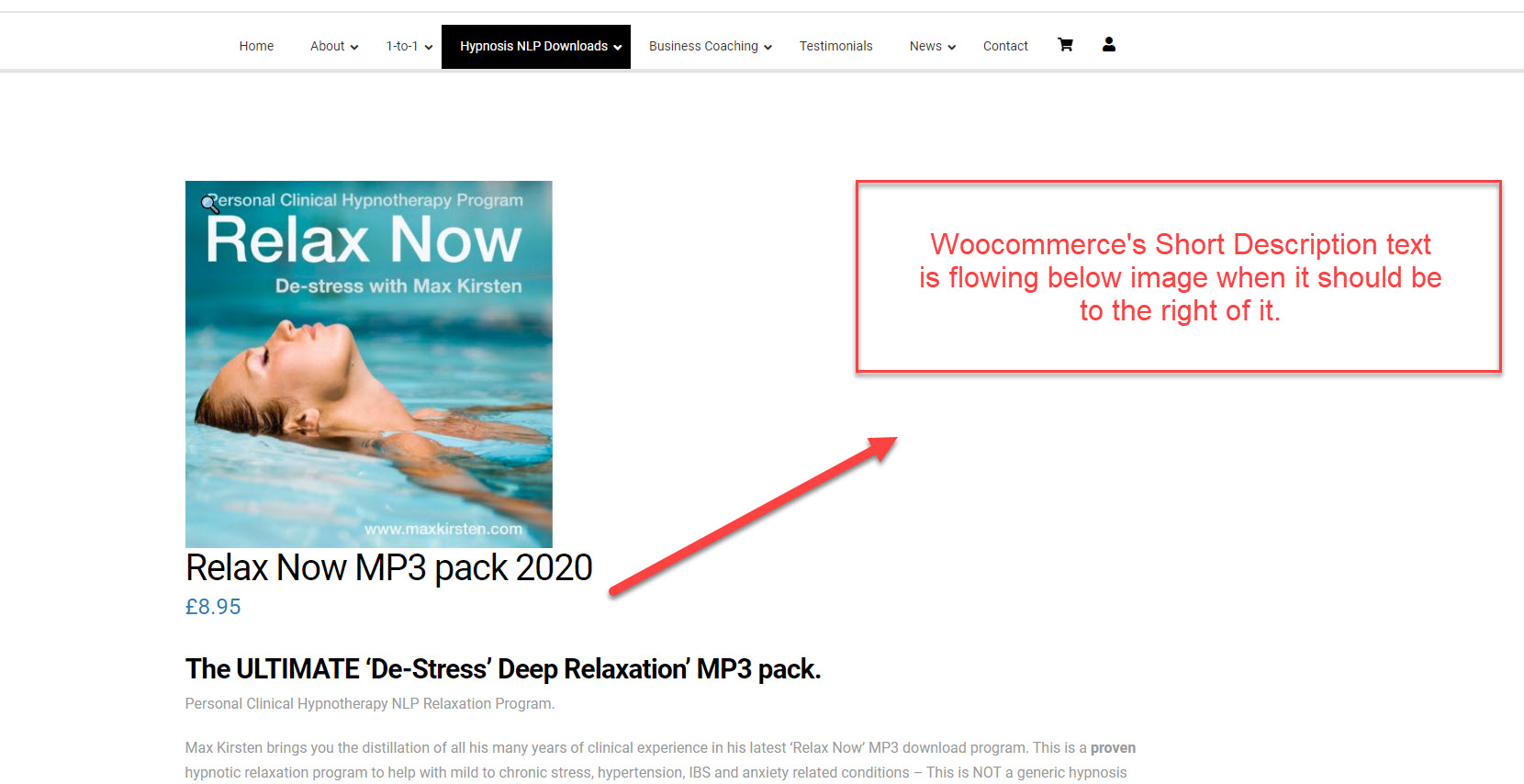
I have a layout problem with my products in Woocommerce. In the Pro Theme Options preview, it all appears as I expect it to. However on the live website, the layout is incorrect.

The Short Text should appear to the right of the product’s image, with the Description, Additional Information boxes below that. I have tried to work out what is wrong with the image text positioning, but cannot find the error. Are you able to help?

Thanks,
Christopher
Hello Christopher,

Thanks for writing in!

Your issue seems to be caused by LiteSpeed Cache plugin. I have temporarily deactivated the plugin and now the layout is fixed. Since you have installed a caching plugin LiteSpeed Cache, please clear your plugin cache once in a while before testing your site. This can cause the changes to not take place on the front end. It will eventually show up when the cache regenerates, but it’s not ideal if you’re looking to see your changes immediately. Caching plugins are best to turn on only when you’ve finished building the site.

Hope this explains your issue briefly.

Thanks Rue Nel,

Your help gave me the right direction. Despite always clearing the cache before checkig results, the error persisted.

The resolution, for anyone else using LiteSpeed cache, is to enter the category (in my case “product” into the “URI excludes” section of the “[6] Tuning” tab of the advanced view in the LiteSpeed cache settings.

Thanks,
Christopher

You are most welcome Christopher!

This topic was automatically closed 10 days after the last reply. New replies are no longer allowed.