Hello!
I’m having some issues with both Cornerstone and WooCommerce. Whenever I am in Customize or Cornerstone, the page format becomes completely skewed. When viewing the page normally in the browser, however, everything appears exactly as it should.
Summary
The website in question is http://impresumes.com/
Summary
As an example, here is how the following page appears in Cornerstone: http://impresumes.com/resumes/
In addition to Cornerstone, I’ve recently re-activated WooCommerce, and neither the Cart or Checkout functionality is working properly. The Cart page only partially displays, and the Checkout page won’t load at all.
Here is an example of the Cart page:
Summary
Summary
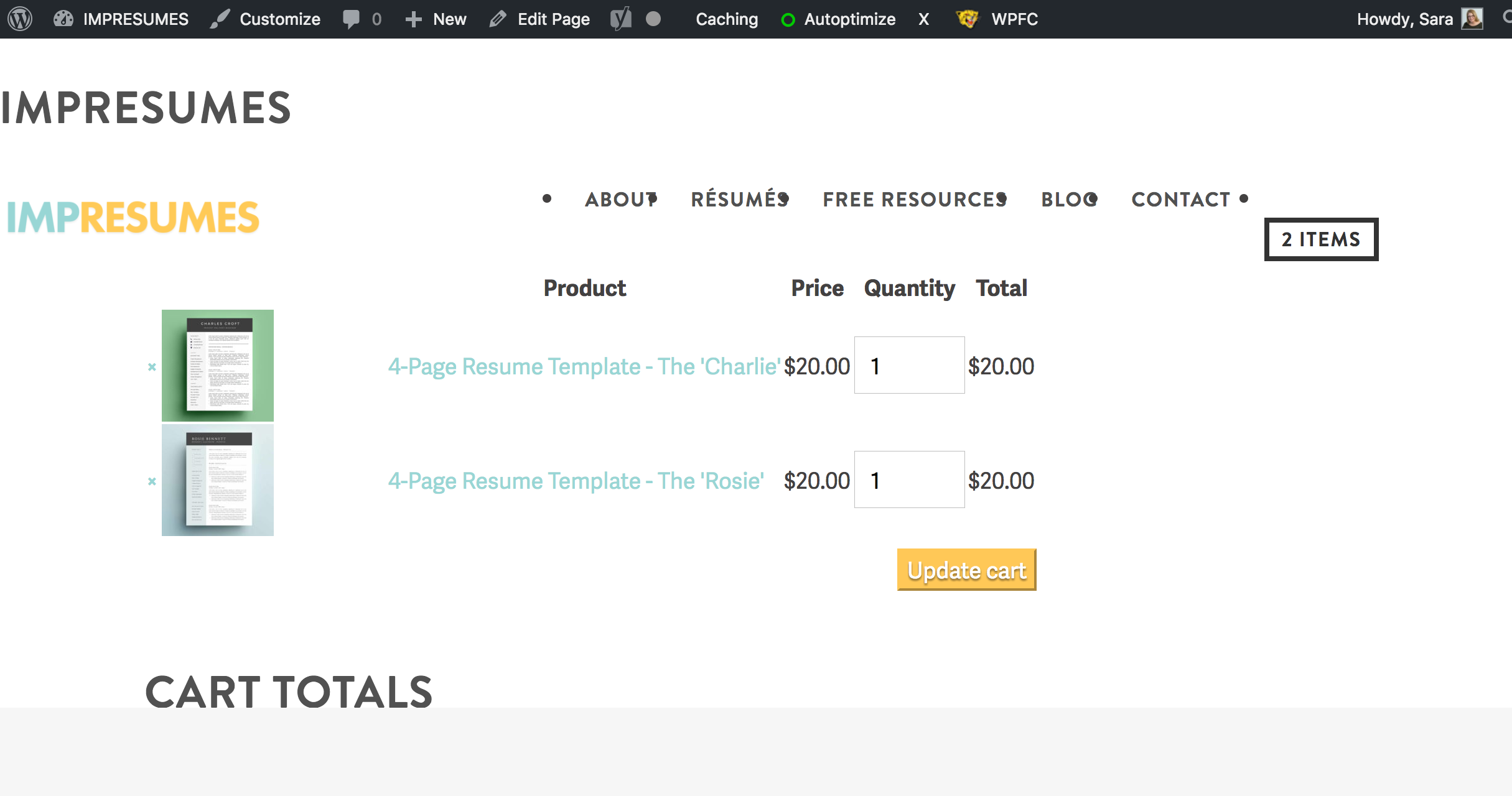
I’ve made sure all plugins and up to date as well as updating the PHP version. I’ve deactivated all plugins, cleared all caches and I’m no closer to figuring out where the conflict is. Any direction you can give me would be very much appreciated.
Thank you!