Woocommerce Landmark Navigation alignment

Hi there,
A previous thread I was working on got closed, and was mostly solved. Thank you!

But I have a few more questions:

How can I align the Landmark Header on all Woocommerce pages to the left?
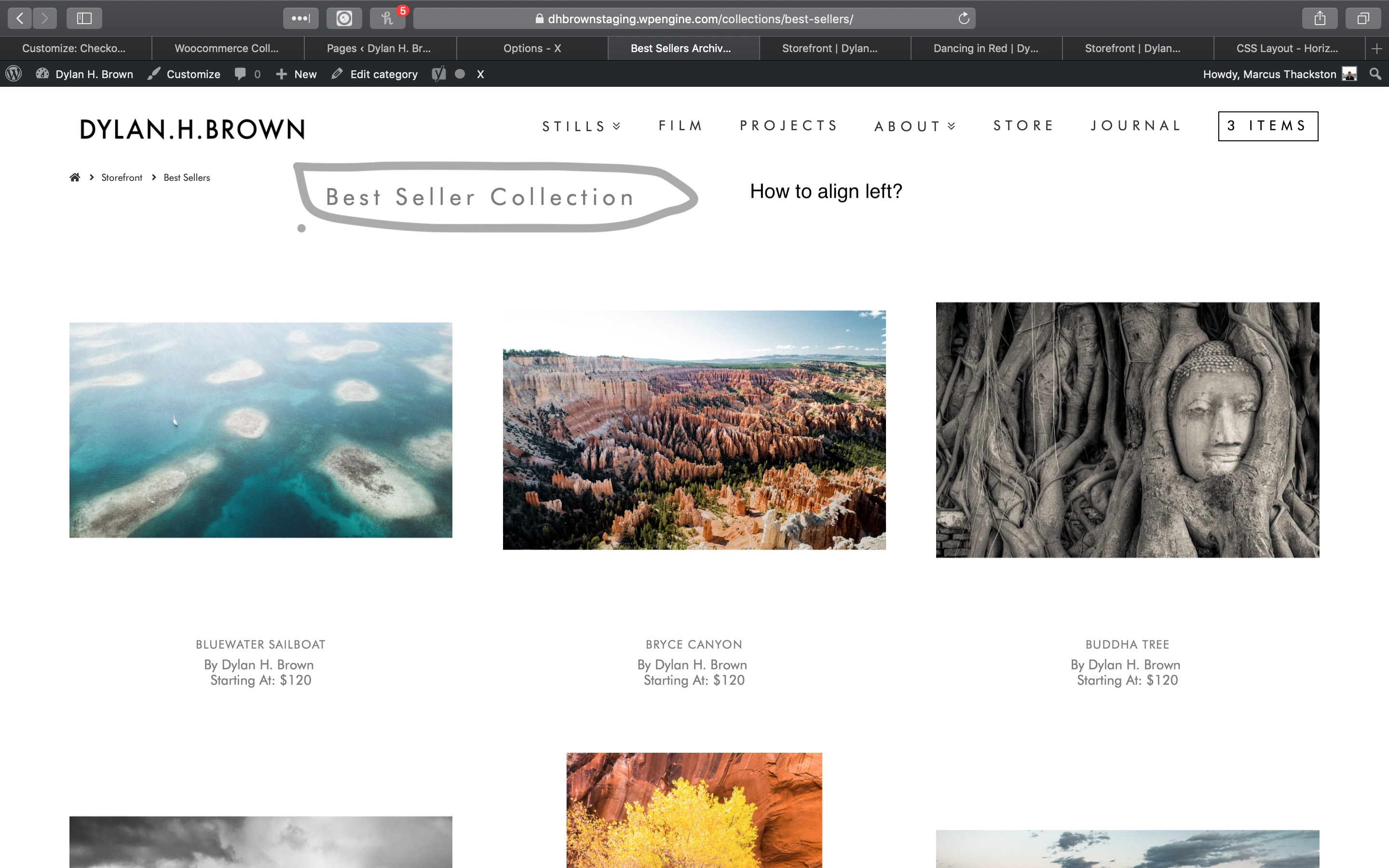
https://dhbrownstaging.wpengine.com/storefront/

How can I get rid of all the spacing at the top of the product pages?
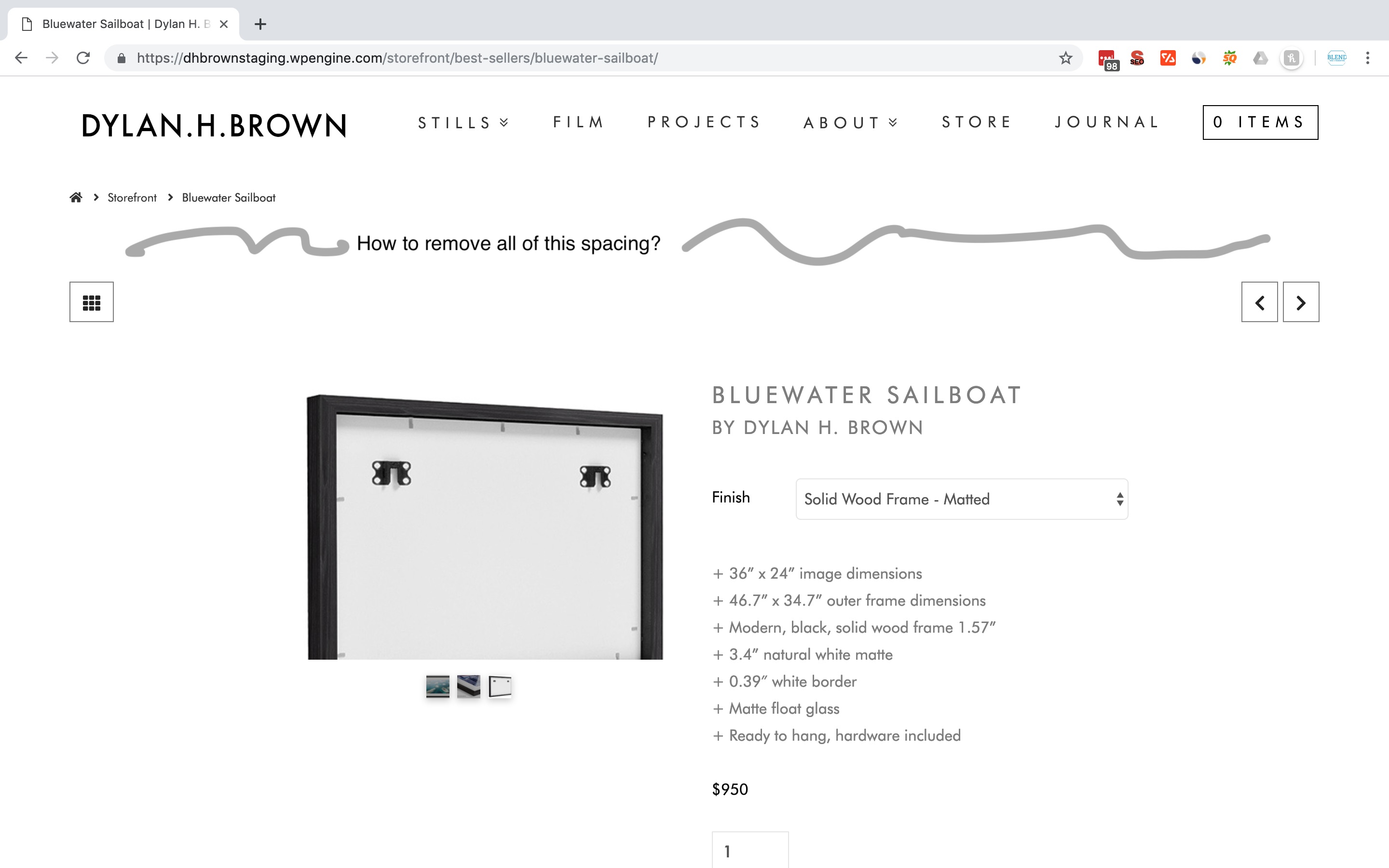
https://dhbrownstaging.wpengine.com/storefront/best-sellers/bluewater-sailboat/

Thanks for the help!

Hi There,

Thank you for writing in,

Please add this to Theme Options > CSS

.x-header-landmark.x-container.max.width {
	max-width: 100%;
    width: 90%;
}

Also, add this to Theme Options > CSS

.single-product .x-container>.offset {
	margin-top: 0;
}

Hope it helps,
Cheers!

Hey Friech,
Thanks for the help.

The first css didn’t do the trick moving that to the left. What else could?

The second one did! Thank you for the help!

You’re welcome!
It’s good know that it has worked for you.

Hi,
Yea but the problem hasn’t been solved. How can I move the Landmark header on the WooCommerce pages to be aligned left?

Hi @powrider686,

There is a CSS conflict, you added max-width: 900px; to a max width container somewhere. To overwrite that, please update the first code I give to this:

.x-header-landmark.x-container.max.width {
	max-width: 100% !important;
    width: 90% !important;
}

Thanks,

Thank you!

You are most welcome!

This topic was automatically closed 10 days after the last reply. New replies are no longer allowed.