Woocomerce checkout page layout

Hi x hope you guys are all good
how can I double side layout on this checkout page Link provided below:
http://ayandzet.com/checkout/

I want Your order and payment methods to be on their column on the rightside and i want Billing details
to me on the left on their column.
please see example of what I want my page to look like on the picture attached
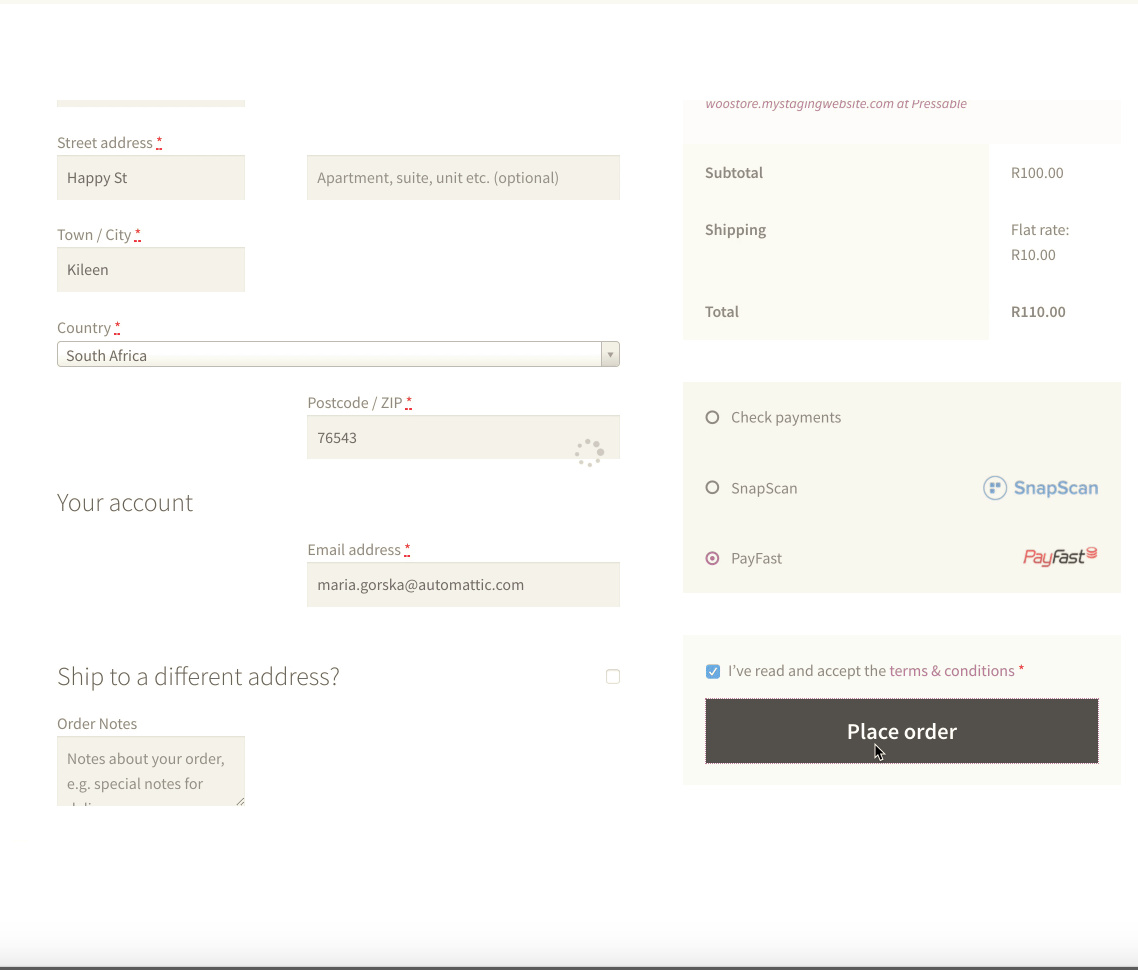
thank you guys

Hello There,

Thanks for writing in! To resolve your issue, please add the following CSS code in the X > Launch > Theme Options > Global CSS (http://prntscr.com/evui3r)

@media(min-width: 980px){
  #customer_details {
    width: 48%;
    float: left;
  }

  #order_review_heading,
  #order_review {
    width: 48%;
    float: right;    
  }

  #order_review_heading {
    margin-top: 0;
  }
}

We would loved to know if this has work for you. Thank you.

This topic was automatically closed 10 days after the last reply. New replies are no longer allowed.