Woo customisation not working

Hi,

Under Woo settings in my theme appearance I have changed the colour of the button, but it is not making any difference. The checkout button has a white background with green hover. I’ve just changed it to orange and pink but no changes have taken effect.

https://followtheboat.com/checkout/

Also, the checkout page looks clumsy in Renew. I’d like to add a title above the payment gateway options saying ‘Choose your method of payment’ and there is little spacing between each section towards the end of the form.

Please advise, thanks.
Hi there,

Please kindly use the X > Launch > Options section instead of the Appearance > Customize as the latter will be phased out during the course of time.

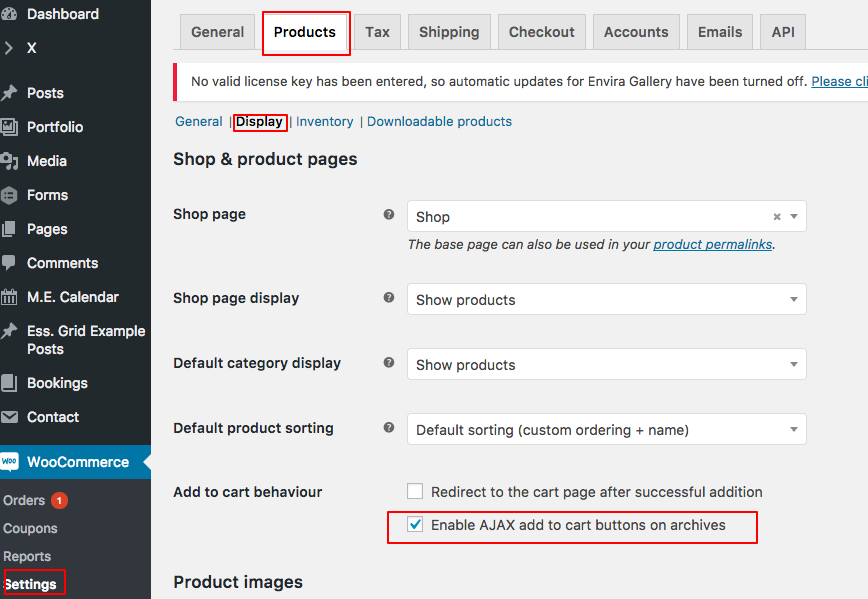
I assume you mean the X > Launch > Options > Woocommerce > Ajax Add to Cart Section. That set of options for the button color only works if you enable the option below:

For the title of the payment kindly add the code below to X > Launch > Options > CSS:

.woocommerce-checkout-payment:before {
    content: "Choose your method of payment";
    font-size: 164%;
    color; #2a2a2a;
    font-family: "Roboto Slab",serif;
    font-style: normal;
    font-weight: 100;
    text-rendering: optimizelegibility;
}

I did not understand the last request, unfortunately. Thank you.

This topic was automatically closed 10 days after the last reply. New replies are no longer allowed.