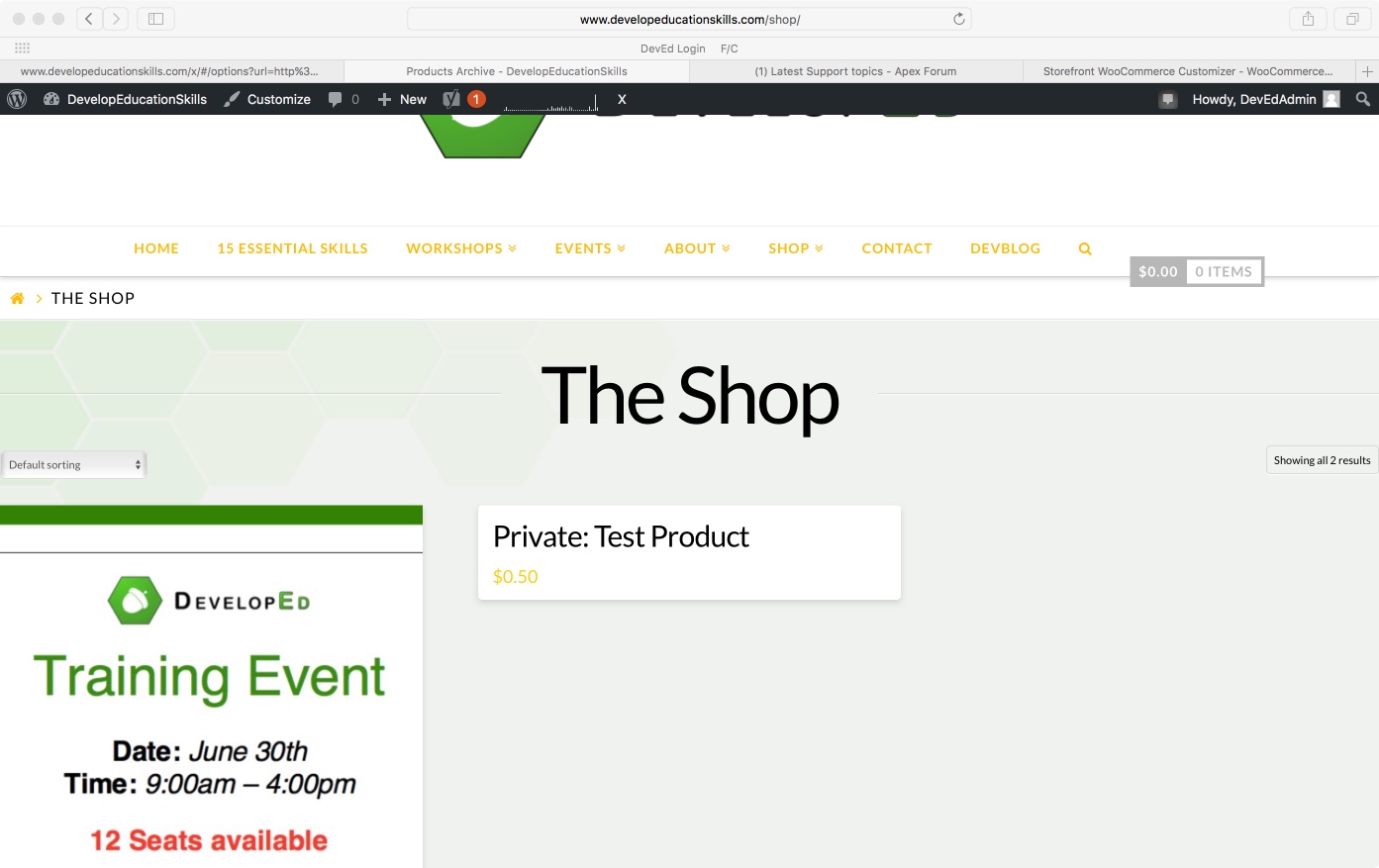
My WooCommerce Store seems to be having a margin issue:
The store and products seem to be pressed up against the page margins. This is actual size in the browser, so nothing is zoomed in. When I reduce browser magnification, the margin appears appropriately. My global settings may be affecting this page too. Is there a way that I can add CSS that would be specific to the store page to adjust the margins rather than affecting the whole site? Thanks