Why do my tabs have missing color at the bottom?

Why do my tabs show the grey background underneath?

Here is an annotated screenshot:
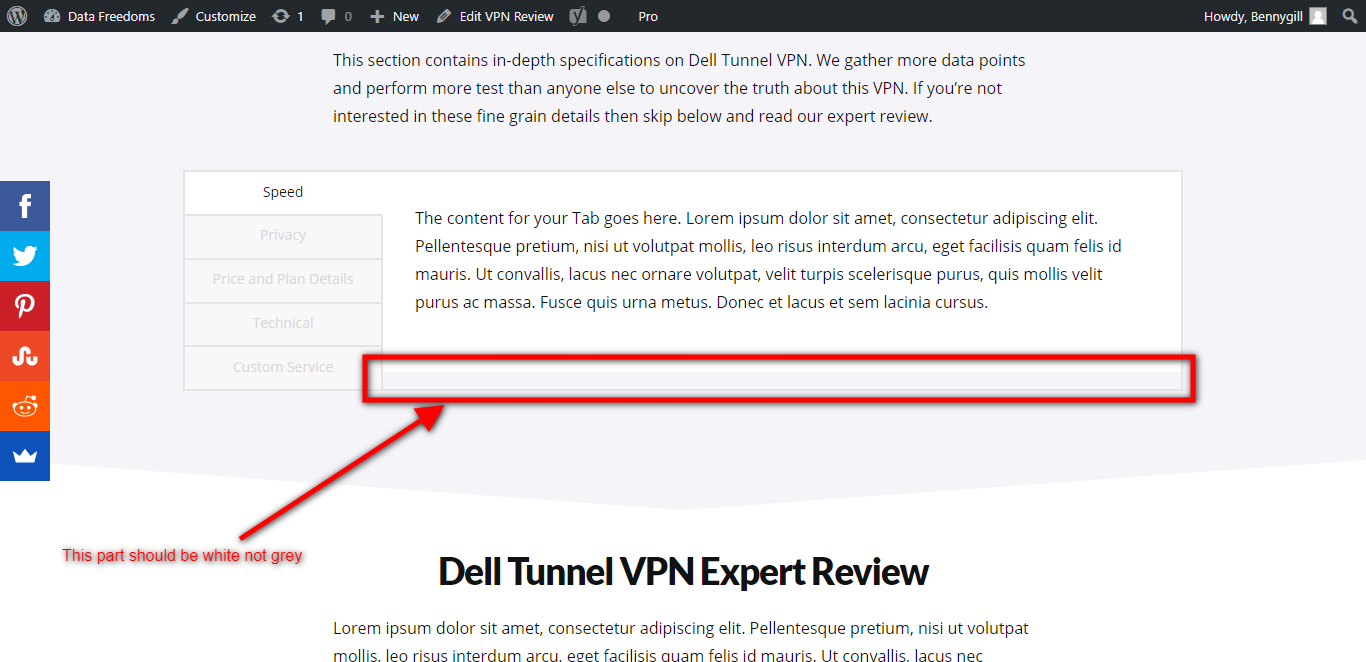
And here is the live page: https://www.datafreedoms.com/dell-tunnel-vpn/

I have tried adding a class “report-card” to the tabs and adding CSS “background-color: #f5f4f9;” but it does not help.

Hi There,

Thanks for writing in! Can you please try adding the following CSS rule into your page’s custom CSS area and see if that helps.

.x-tab-content.report-card {
    background-color: white;
}

Hope that helps.

Yes that works. I accidentally put the wrong hex code in last night.

But also, this seems to be a bug. Why would it have the mis-matching background in the first place? It shouldn’t need any custom CSS to display correctly.

Hi @thecashbag,

I will forward this to our developers so that they could look on it.

Thank you so much for understanding.

This topic was automatically closed 10 days after the last reply. New replies are no longer allowed.