White space in column

Hi!
My website is http://ccvd.lamachineavapeur.ca/

In the actions “activité”, there’s an image on the right that is an essential grid. I want the grid to be full width and cover the section entirely. However, I am stuck with a white space at the bottom that forces me to add negative paddind. It works OK on a full resolution but I still have that white space at the bottom on laptop and mobile. Any idea what I can do?

Thank you!

Nathalie
Hello Nathalie,

Thanks for writing in!

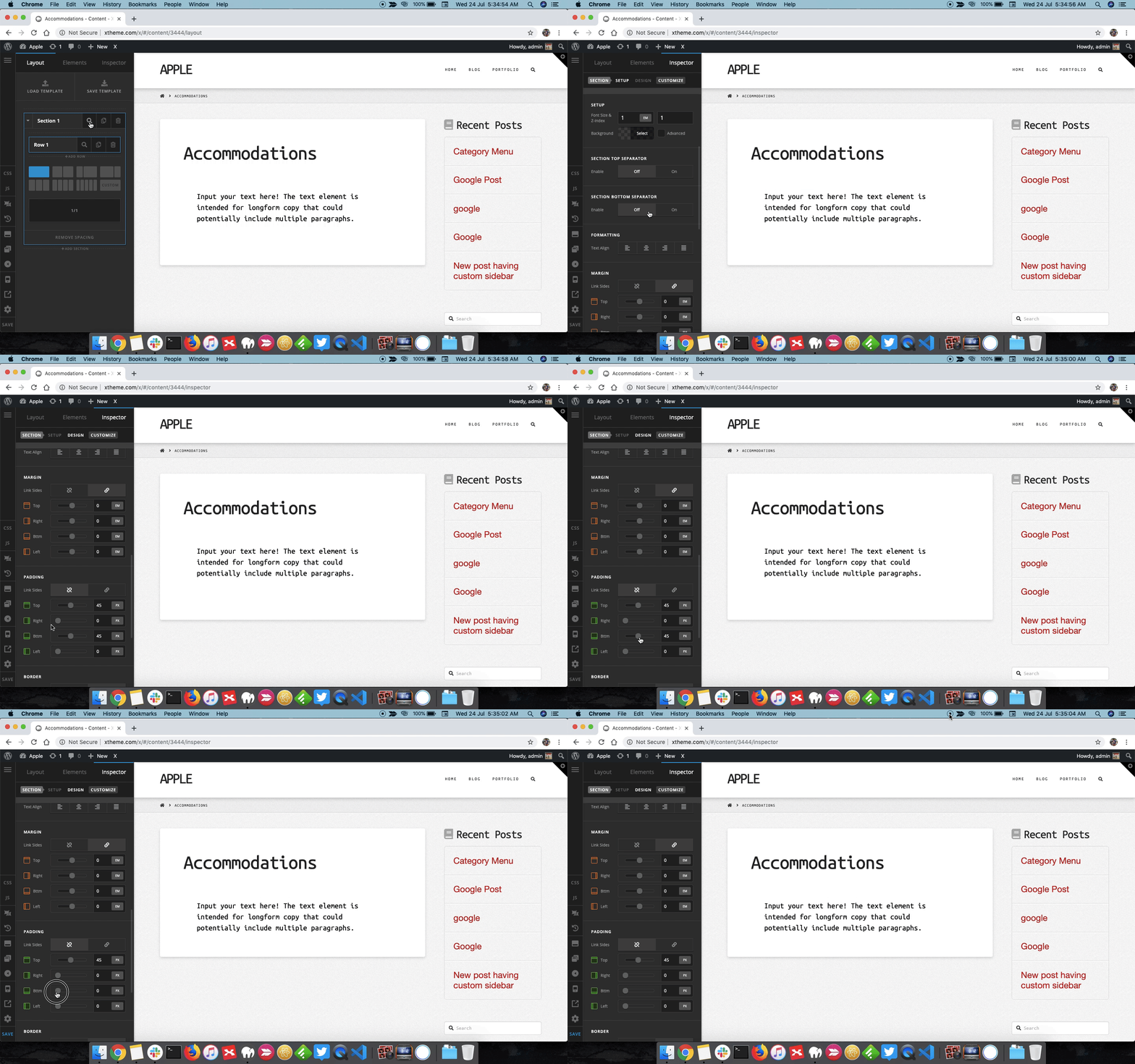
You can remove the section padding to reduce the bottom spacing. Please inspect the section and under padding, remove bottom padding. Please see screencast for more details.

Thanks.

Hi!

I tried everything, there isn’t any spacing or padding anywhere…

Nathalie

Hello Nathalie,

Thanks for updating the thread.

Please share website login details in secure note for us to take a closer look at the setup.

Thanks.

Hi Nathalie,

The additional space below the grid items are automatically added from the spacing settings of the Essential Grid.

For example, there is a 100px gap between the two grids and also 100px gap below the two grids:

Decreasing the value of the spacing of the items.

Hope this helps.

That did it! Thank you :slight_smile:

You’re always welcome @ArcaneE!

Cheers.

This topic was automatically closed 10 days after the last reply. New replies are no longer allowed.