Hi,
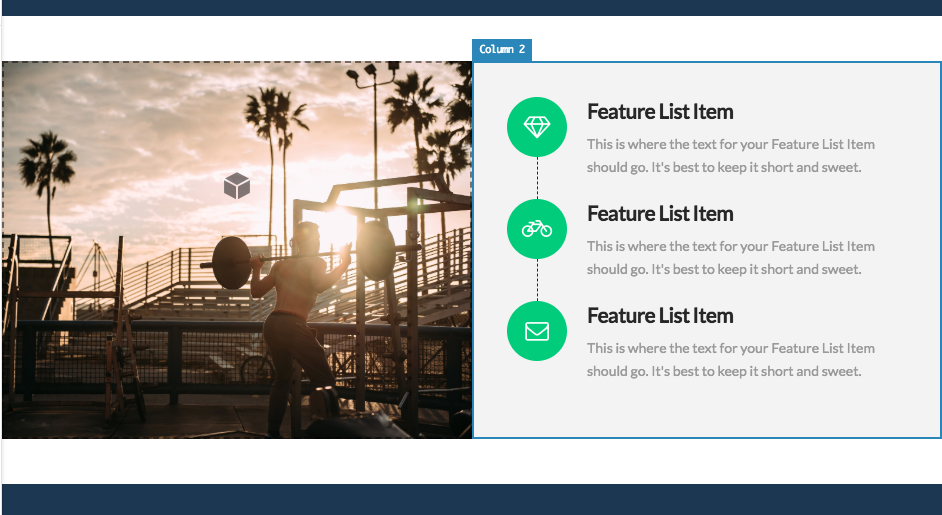
I’m trying to remove white space from the top and the bottom between column and section, but can’t find any solution , would be great if you advise me how to make it
Thanks

Hi,
I’m trying to remove white space from the top and the bottom between column and section, but can’t find any solution , would be great if you advise me how to make it
Thanks
Hi There,
Can you please check the section default padding. It must have there.
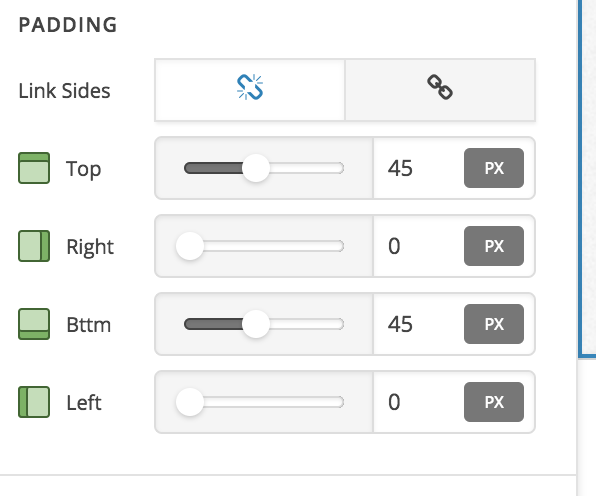
Hope this helps!
Nope… I need to make column size same as section equally.
If I use padding inside column and try to make it bigger, section expands automatically as well
Hey @Dobrovolskis,
Please give us the URL of your page so we could see what’s causing the white space.
Thanks.
Can you double check please? I can’t find any solution how to expand column 1 and column 2 to be the same size as this section
Hello @Dobrovolskis,
Thanks for asking. 
It looks like over here we have two questions:
Let us know how it goes.
Thanks.
Thanks for your help!
Although I had to downgrade to version 1.2.7 to make it work, for some reason in 2.0.4 version padding function doesn’t work…
Hi There,
I have tested this issue on my local setup and also checked our issue tracker but I could not find any related issues. It could be caching issue that you’re experiencing.
If you’re using a caching plugin, you need to purge your cache before testing for changes. Also you need to clear browser cache as well.
Let us know how it goes.
Thanks!
This topic was automatically closed 10 days after the last reply. New replies are no longer allowed.