Hello @nimue_fichtenbauer,
Thanks for writing to us.
Question Number 1
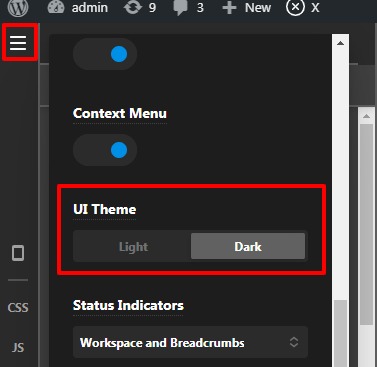
To change the Theme Setting—>UI background colour you need to go to the X/Pro —>Theme Option —>Click on the hamburger menu icon—>Preferances—>UI theme
Question Number 2
In case if you trying to set the section background image. You need to go to the page -->Specific Section —>Click on the magnifier icon—>Click on the Advanced —>Select the Type from the select box—>Now set the Image.
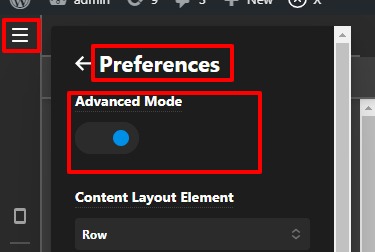
In case If you are not able the view these settings then please make sure you have set the "Advanced Mode " as “ON”. To enable the "Advanced Mode " as “ON” go to X/Pro—>Theme Option —>Click on the hamburger menu icon—>Preferances—>Set the "Advanced Mode " as “ON” from here.
Thanks

