In theme options I can somehow alter heading sizes but without the usual H1, H2 etc naming and size convention. As a result my subheadings are larger than my headings. It seems wordpress and X are having a controverse here. How do I get in control?
Hello @DialogDesigneren,
Thanks for writing to us.
All the heading tag size are rendered from the Theme option —>Typogrphy.
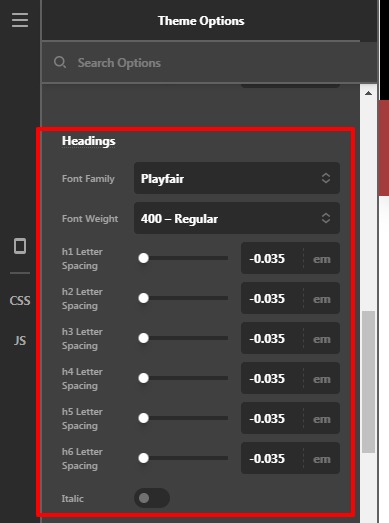
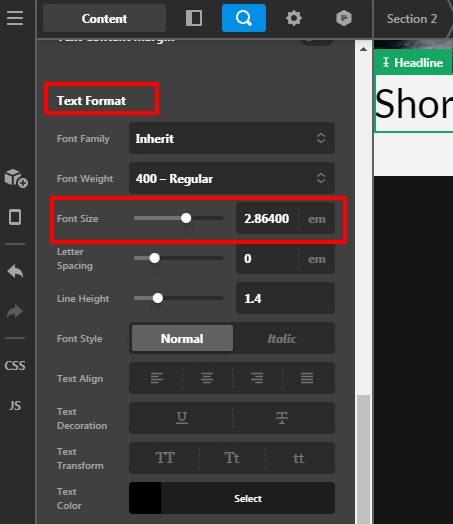
In case if you are using the heading tag through the element then the font size renders from the element. Let take an example of the Headline element to learn more about how to change the font size of the Headline element. Go to the Headline element —>Text Format–>Set the font size as per your design.
Please have a look at the screenshot given below.
Hope it helps
Thanks
This topic was automatically closed 10 days after the last reply. New replies are no longer allowed.