Hi @headmetal,
I tested the above code in my local setup and it works fine, please make sure you’re adding the above code in the child theme’s functions.php file and your child theme is active.
Another factor could be the wrong shortcode, please check if the ID 1217 is correct and the plugin is currently installed and active.
As a test you can try the following code:
add_action( "x_after_the_content_end", "add_post_shortcode" );
function add_post_shortcode() {
	if(is_singular( 'post' )){
		echo '<center>
		<a href="https://www.profoundtalent.com"><img border="0" alt="back home" src="https://www.profoundtalent.com/wp-content/uploads/2019/12/back2.jpg" width="162" height="28"></a>
		<a href="https://www.profoundtalent.com/category/magazine"><img border="0" alt="see" hspace="20" src="https://www.profoundtalent.com/wp-content/uploads/2019/12/see1.jpg" width="162" height="28"></a>
		</center>'.do_shortcode('[author title="About the Author"]');
	}
}
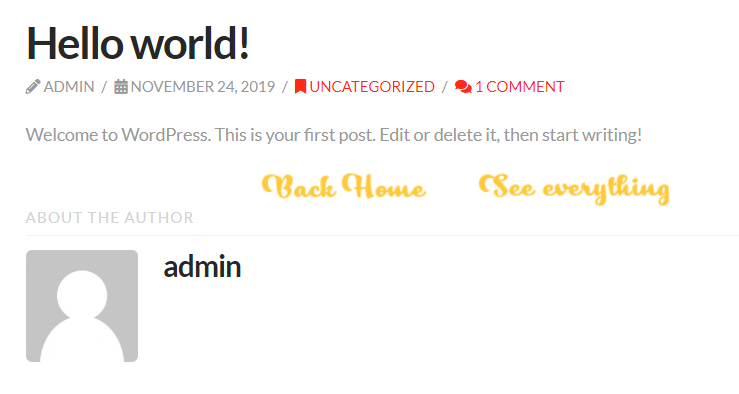
You should see the Author box at the end of each post along with linked images (see screenshot) if it works correctly you can then simply replace the shortcode [author title="About the Author"] with yours [post-carousel id="1217"]
Hope this helps!


