Hi there,
in the new version of cornerstone, the feature of setting a link in the text area is missing. How can I set a link now without using html code?
Greetings, Miriam
Hi there,
in the new version of cornerstone, the feature of setting a link in the text area is missing. How can I set a link now without using html code?
Greetings, Miriam
Howdy, @miribetancourt!
Thanks for writing in! Once you open up the text input and switch to the “Rich Text” mode (the icon that looks like a “T” to the left of the editor), you will find the link option within the toolbar that appears. I have provided a screenshot below showing where you where to locate it:
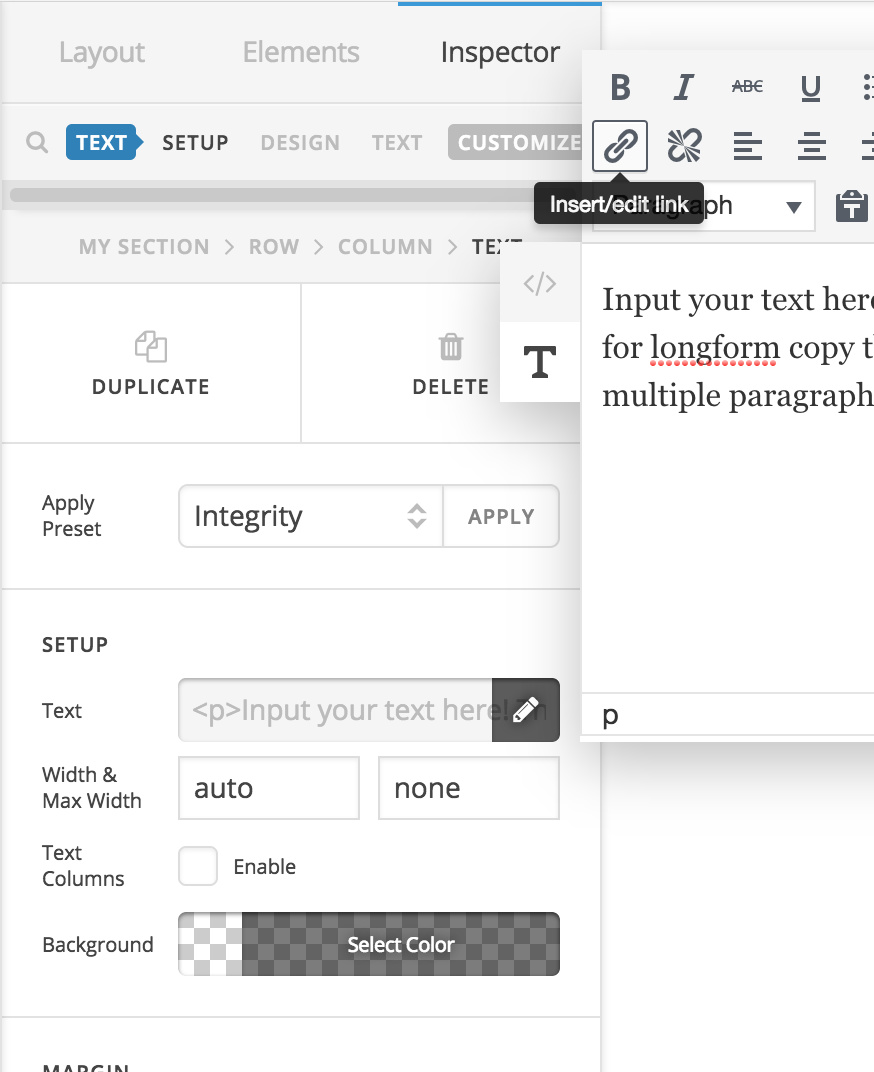
Hopefully that helps to point you in the right direction…cheers!
Thanks. Cheets!
No problem!