Since the update of my X theme to 6.1.6, i am unable to see advanced controls such as background image, padding etc. even after selecting advanced mode in cornerstone settings.
Can you please tell me how to get them?
Since the update of my X theme to 6.1.6, i am unable to see advanced controls such as background image, padding etc. even after selecting advanced mode in cornerstone settings.
Can you please tell me how to get them?
Hi Morgan,
The new version of the X introduced a Simple/Advanced mode feature which the default for X is a simple mode that hides some of the controls. You will need to switch to the advanced mode to see all the options.
Please read the changelog for more information.
Long story short, please go to X > Theme Options > Settings icon at the bottom left section and enable the Advanced Mode in the Preferences tab:

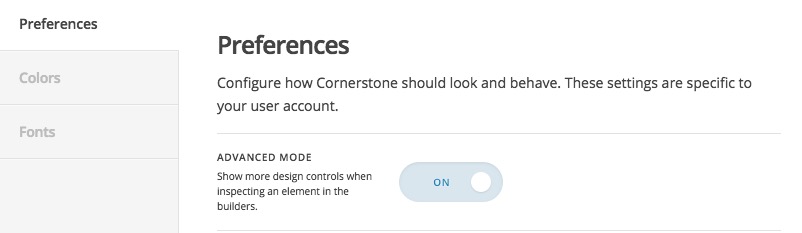
Thank you.
This topic was automatically closed 10 days after the last reply. New replies are no longer allowed.