What is this icon and how to remove it sitewide?

Hey guys,

Building a new website and this icon suddenly popped up out of nowhere. It takes to parent page. I am not able to figure out where is the setting to disable this. Please help.
URL: https://aausdev.wpengine.com/shop/test-product-1/

Please see screenshot:
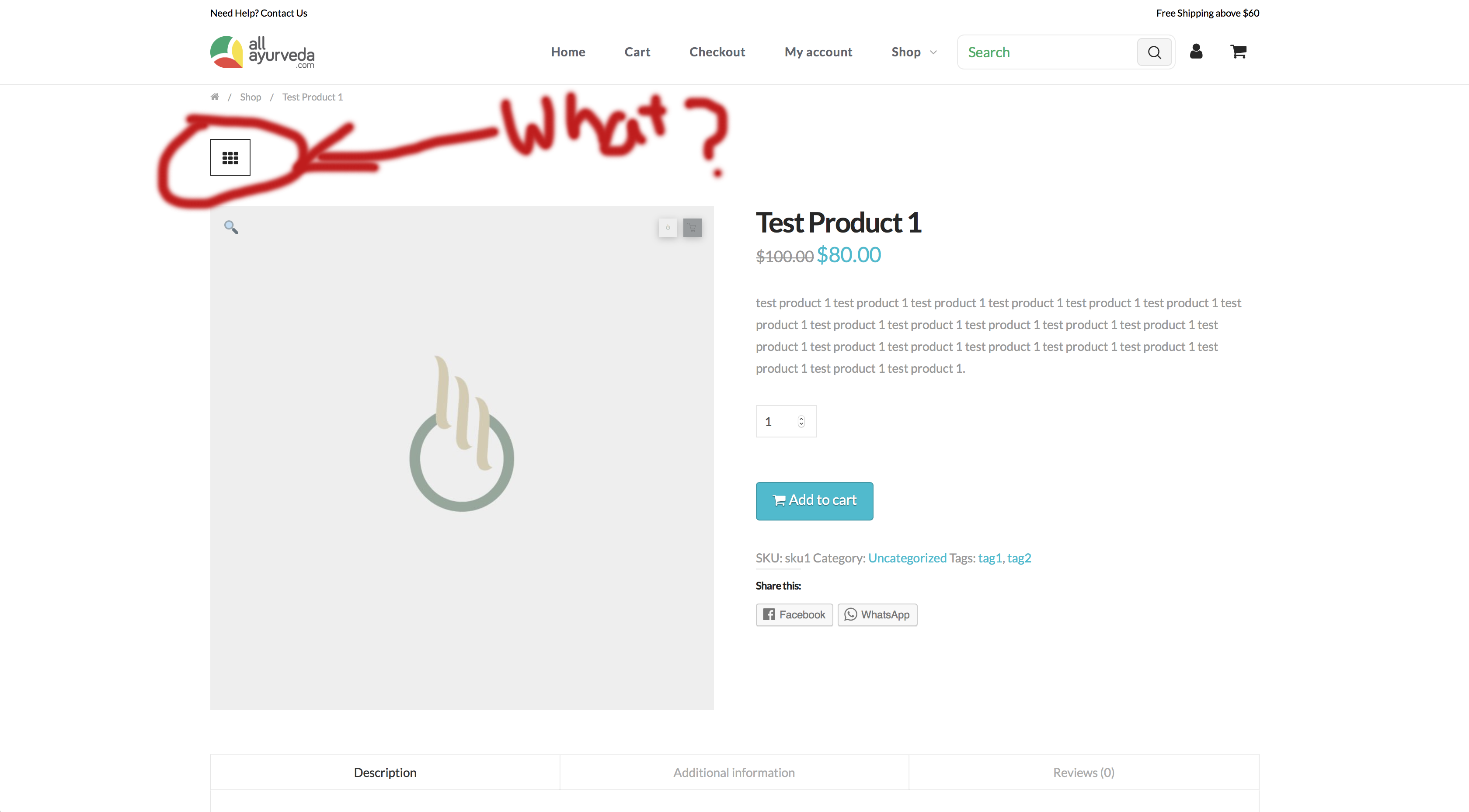
Hey guys, following up on above query.

Hi There,

To remove that icon sitewide, please add this custom CSS under X > Theme Options > CSS:

.entry-top-navigation {
    display: none;
}

Hope it helps :slight_smile:

Thanks Thai, it worked like a charm.

But I’d also like to understand how it appeared in the first place? Because it wasn’t always there.

Hi There,

The icon is depended on which stack you are using to design your website. You might have changed your stack recently or you may not notice it as this is the default one.

Thanks

This topic was automatically closed 10 days after the last reply. New replies are no longer allowed.