Please find URL in secure note.
This is regarding Section 3.
I can’t select any of the elements in the section, or the section itself.
No idea why, happens in both the original page and a clone I made of it.
Thanks
Please find URL in secure note.
This is regarding Section 3.
I can’t select any of the elements in the section, or the section itself.
No idea why, happens in both the original page and a clone I made of it.
Thanks
Hi @ddctc,
Thanks for writing in.
As of now, I could not be able to identify what is causing this issue. I will forward this issue to our developer so that they could look on it.
For the meantime, you can use the skeleton mode to adjust your section 3.
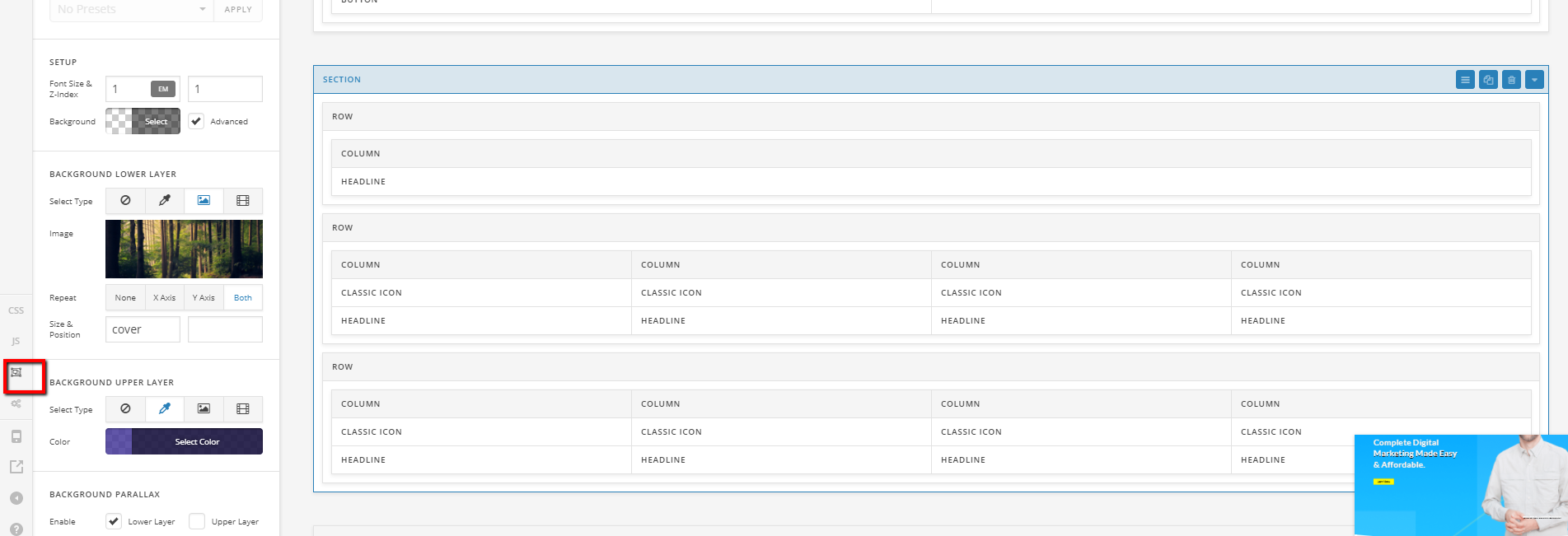
Let us know how it goes.
Thanks.
Thank you I look forward to hearing the response from the developer.
Just adding to the thread.
I also can’t select any of the content on the published page (not in cornerstone, the front end view). I can normally drag and select text on the other sections, but not that one.
URL in secure note. Note that text is not selectable.
Hello @ddctc,
Thanks for updating thread.
You setup looks fine and I could not find the core issue that might be causing the problem. However, something that can be causing the problem is PHP version. I installed Display PHP Version plugin to see the version of PHP you are running on the server. I see that you are using quite old version of PHP 5.6.34. Can you please upgrade PHP to version 7 and see how it goes?
Here is the document that you can take a look for minimum server requirement to run WordPress. You can ask hosting provider to update PHP and that should do it at no extra cost.
Thanks.
This topic was automatically closed 10 days after the last reply. New replies are no longer allowed.