Website rendering incorrectly after todays update

Hi Friends,

So I just installed the latest update for X and CS this morning (10/2/19) and I’m not getting some very weird results in CS and in the front end render.

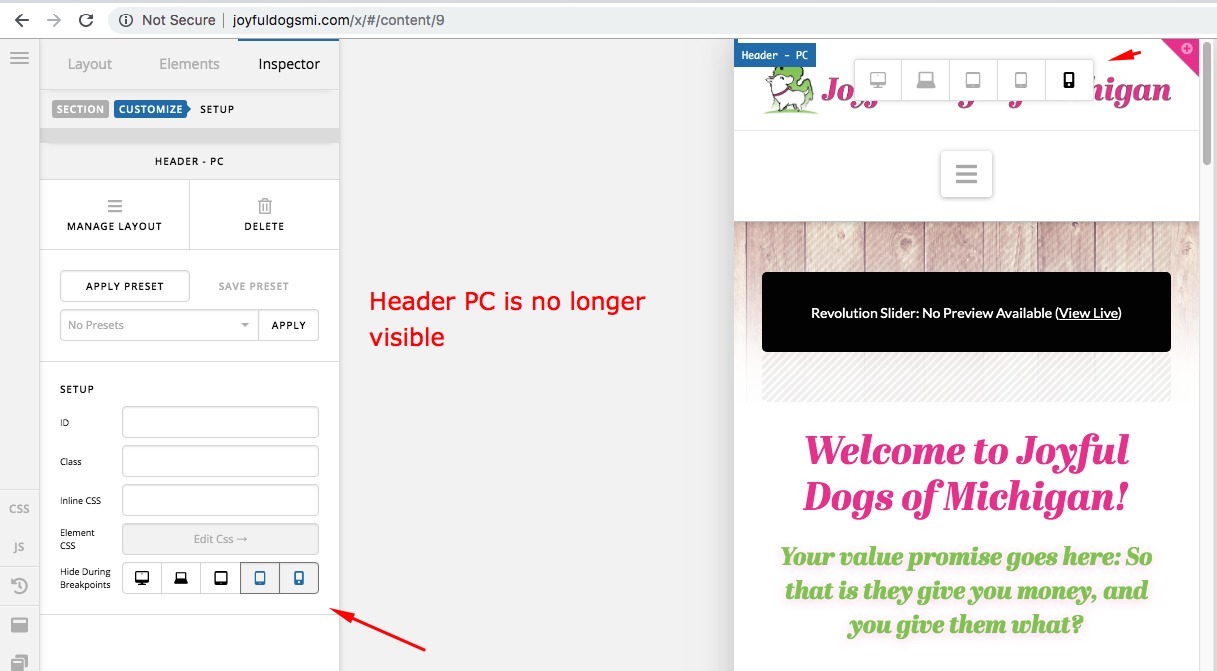
I’m getting sections showing up when they are not supposed to and ignoring their breakpoints:

So I got content designed for PC showing up in the mobile render of CS (see screen shot above plz)

And I’m getting some strange render of a video player on the front end when I’m looking over my site.

Looking normal in CS: http://prntscr.com/pdzv5z
Messed up PC: https://prnt.sc/pe00i9
Messed up Mobile: http://prntscr.com/pdzy4u

Here is the site URL:

I’ve looked over the layout grid for the row and every thing else that I could think of that might be causing this and so far it all looked good:

So I’m thinking its the latest update, cause I was working on a totally different section of the site and when I went back to look over my work I noticed that this section was all messed up and they only global change that I made today was the X and CS update.

Thanks for the help,

John
Hi John,

Thank you for writing in, but I cant replicate the issue with breakpoints, the page shows the right section on the right breakpoints, please make sure your browser is not zoom, because that affects the width of the viewport.

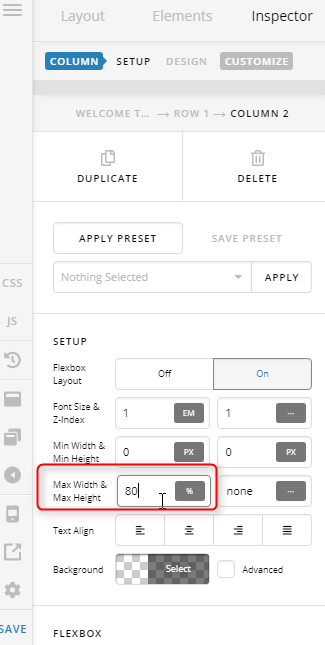
Regarding the video, please remove the 2 empty columns on the side of the video and set the video column’s max-width instead to limit the width of the column.


And please clear your browser’s cache and any caching feature you might have.

Cheers!

So I got the video working thank you for that!

The issue where the content for large screen PC’s showing up while in mobile preview mode inside CS is still going on:

Cleared the cache like you said and I’m still getting the issue in Firefox only (my browser of choice for building), so that’s a bit of a bumber.

Like I referenced above this started when I installed the X and CS update yesterday. Can you take an additional look at this and see if you can git it working.

Thanks,

John

Hello John,

It is working correctly on my end.

It could just a browser cache in your end. Please clear your browser cache too. You may use private browsing mode in testing your site to make sure that you are viewing the latest codes from the updates and not the cached version in your browser.

Hope this helps.

This topic was automatically closed 10 days after the last reply. New replies are no longer allowed.