Website not working after updating the theme in staging URL

Previous Theme Version: Version: 3.2.5

Updated Theme Verison: Version: 6.5.3

The below URL is the website with issue.

http://103.82.221.21/BH-Wordpress/

We updated the X Theme and suddenly website stopped working and its showing the below error.

“Fatal error: Call to undefined function x_generate_data_attributes()”

While searching for solution, we found a solution (dated in 2015) in support forum stating that We need to install X- Shortcodes plugin. But we are not able to find the X- Shortcodes plugin in the theme folder as mentioned in the support forum.

Ref:


Kindly solve this problem asap.
Hi There @georg843,

Thanks for writing in! Upon checking your site, I can confirm that your error is related to child theme. Please disable your child theme and test this issue further. You can head over to Appearance -> Themes section and activate parent X theme to disable your child theme.

X shortcodes functionality has been integrated into Cornerstone plugin, so you no longer needed X-shortcodes plugin which is deprecated now.

If you cannot find the cause of this issue, copy all the code inside your child theme’s functions.php file (/wp-content/themes/x-child/functions.php), then paste it into an online tool like this (https://pastebin.com/) and share the link here to check your code.

Thanks!

I activated the parent theme and the error is gone. but i am not sure what functionalities i am missing here because of Child theme’s functions.php

Anyhow i pasted the child thee functions.php code in the pastebin and find the URL below.

https://pastebin.com/pidvEjSp

Check and tell what the issue with the code.
Thanks

Hello @georg843,

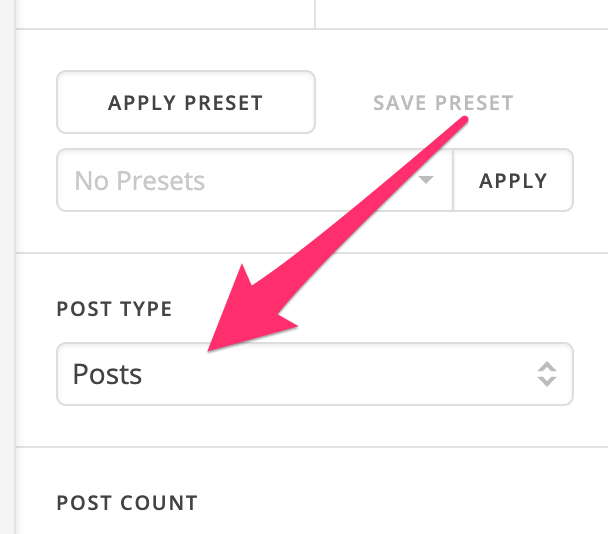
It seems that you are trying to customize the default functionality of the recent post shortcode that is why you have added the code in the child theme. Are you just trying to include portfolio items as output of the recent post element? If so, you do not need to add a custom code for it as you can simply select the post type as portfolio in the element settings.

Hope this helps.

This topic was automatically closed 10 days after the last reply. New replies are no longer allowed.