WC Account in two column

Hello,

I tried to set the menu of my WC Account in two column, so that I am the navigation menu on the left (not on the top. I did not manage to do it. Could you please help me with it?

I tried following code but nothing happened.

.woocommerce-MyAccount-navigation .u-column1.col-1 {
    width: 48%;
    float: left;
    margin-right: 2%;
}
.woocommerce-MyAccount-content .u-column2.col-2 {
    width: 48%;
    float: left;
}
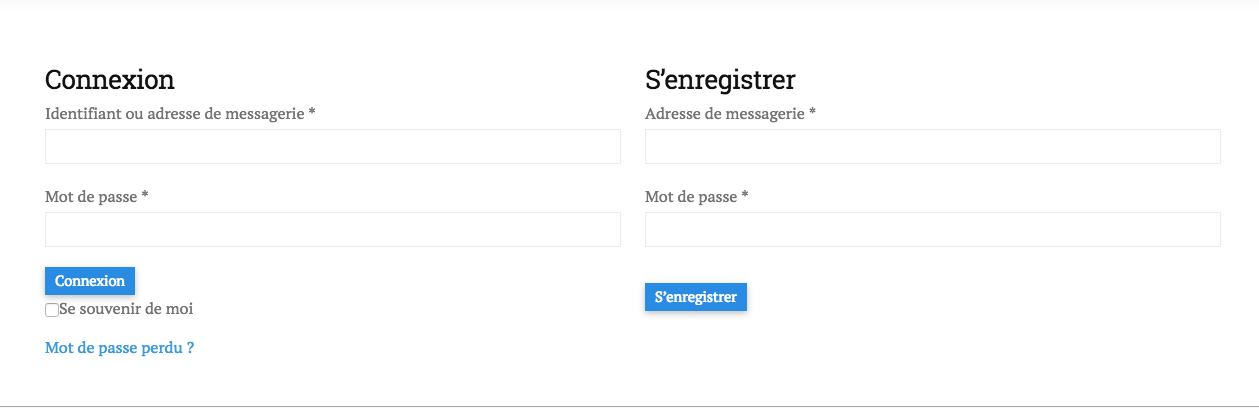
Hey @Camilletra,

Please give us the URL of the page and WP Admin access if login is required so we could check the issue.

Thanks.

https://v2.unikpieces.ch/mon-compte/
(pwd: E-MM)

Hi There,

Thanks for the details!

I can see the forms are already in two column and your css is working fine.

Can you please confirm if you are talking about something else or can confirm if you have the issue in a specific browser.

Thanks

No, I don’t mean this step, but the next one when the user is logged in. The menu in on the top and the content below it. I’d like the navigation menu to be on the left side and the content on the right.

Thanks,
Antoine

Hi There,

Thanks for the clarification!

Please use this css in your theme option -> global CSS

nav.woocommerce-MyAccount-navigation {
float: left;
width: 48%
}
.woocommerce-MyAccount-content {
float: right;
width: 48%
}
@media (max-width:950px) {
  nav.woocommerce-MyAccount-navigation {
float: none;
width: 100%
}
.woocommerce-MyAccount-content {
float: none;
width: 100%
}
}

Hope this helps!

This topic was automatically closed 10 days after the last reply. New replies are no longer allowed.