I don’t know what happens in this project that everything goes wrong …
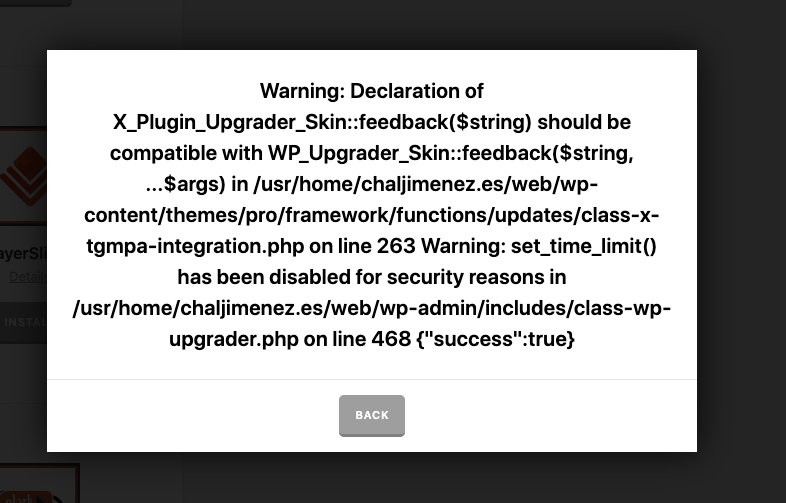
Every time I install a plugin I get this error. If I refresh the plugins page, the plugin is installed, but I don’t know why this error comes out.
I don’t know what happens in this project that everything goes wrong …
Every time I install a plugin I get this error. If I refresh the plugins page, the plugin is installed, but I don’t know why this error comes out.
Hi Mauro,
Thank you for your message. I checked the screenshot and found out that the message that you see is not an error. It is a warning. Warnings are there to make sure you use the best practices but will not disrupt the execution of the PHP code.
Here is a good article outlining the difference between an error and a warning.
You can disable the WordPress debug mode and it will stop showing the warning messages. Please kindly check this video to learn more about the PHP Error Messages and how to disable the reporting.
The video shows how to enable the debug mode, you will need to use
falseinstead oftrueto disable the debug mode.
Finally, my guess for the cause of the problem is that your hosting service provider limits the use of set_time_limit() and there might be that your server uses an old version of the PHP language. Either way, it is a good idea that you contact your hosting service provider as they also can help you with diagnosing the problem cause and help you disable the debug mode.
Thank you.
This topic was automatically closed 10 days after the last reply. New replies are no longer allowed.