Visual Composer Update not available

Hello there,

i tried to update WPBakery Visual Composer via the Dashboard and via the Plugins, but the Update can not be completed successfully. It says “Actualization package not available”.
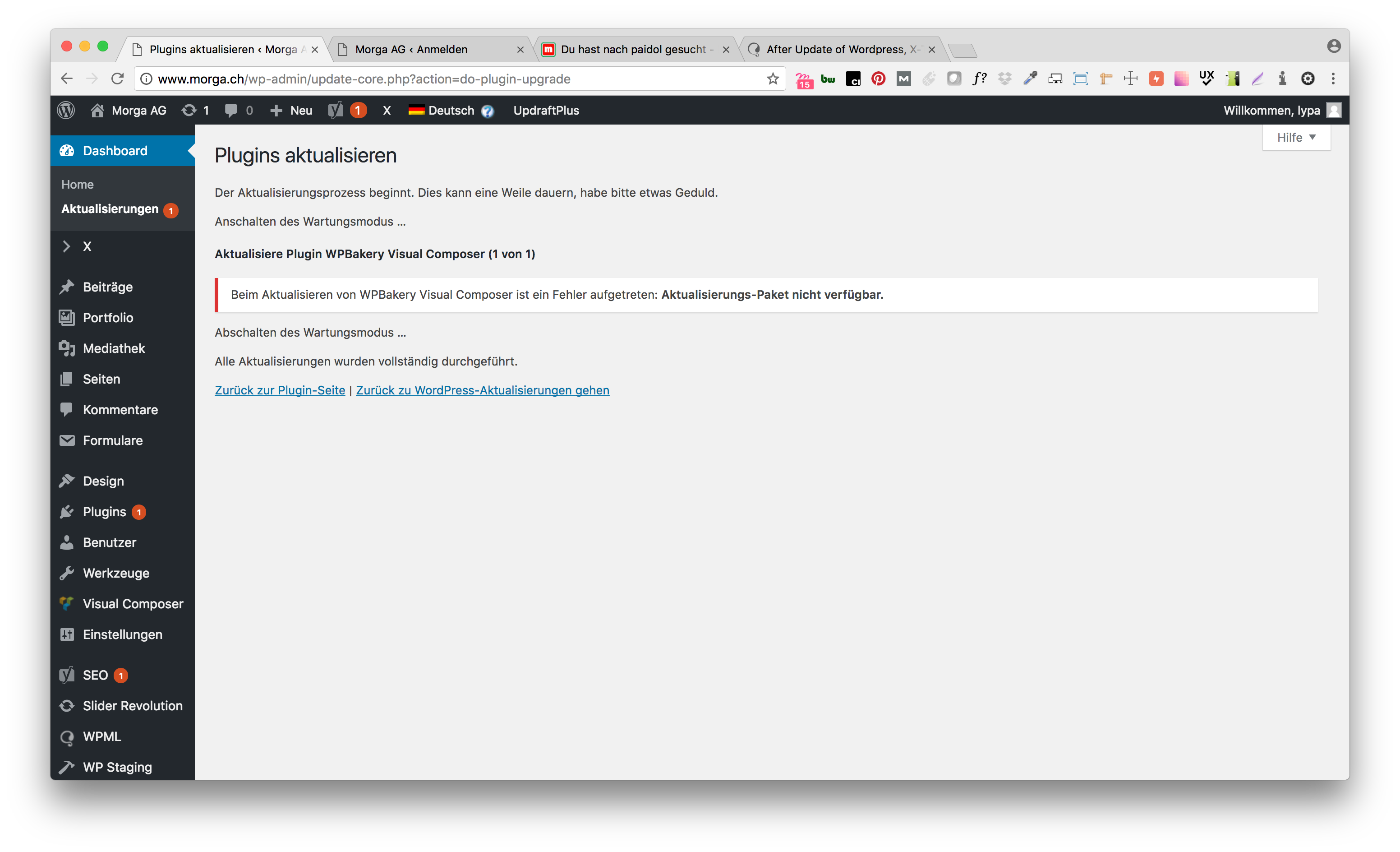
Then i tried to delete and re-install it via Plugins > Install, but could not find the plugin anymore. So i had to restore it from backup.

How can i update this plugin correctly? Our site is www.morga.ch

Kind Regards,
lypa

Hi there Lypa,

Are you on the latest version of both X and Cornerstone?

Open up your site via FTP or your hosts file manager, delete the JS composer folder and then go back to your wp-admin > X, scroll down and re-install Visual Composer and everything should function correctly. :slight_smile:

Thanks!

Hi Jack,

Thank you for helping. Ah, then i need to install the VC Plugin via the X > Extensions? Tried installing it via the regular WordPress Plugins area last time after deleting it and could not find it there (had to restore it from backup then :grimacing: ).

Kind Regards,
lypa

Glad to hear we managed to solve!

This topic was automatically closed 10 days after the last reply. New replies are no longer allowed.