Hello Micah,
Thanks for writing in!
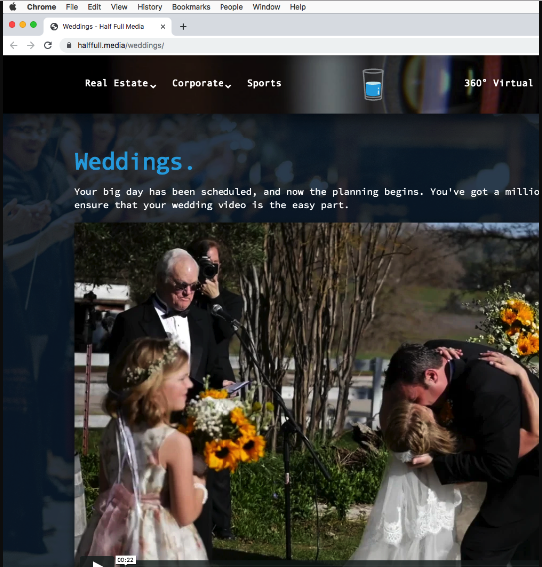
I am using MacOS and I have checked your site in Chrome. I do not have any issues viewing the video.
Here is what I am seeing when I play the video:
I investigated further and I found out that you used a video player element with a Vimeo url in it which is not the correct way of using the element.
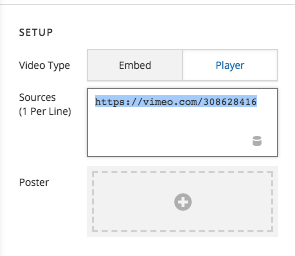
The video player will only allow you to insert direct video url like http://example.com/video.mp4. You are not suppose to insert a Vimeo url or Youtube URL. If you video is hosted in Vimeo or Youtube, you will need to use the Embed type and insert the video embed code from Vimeo. In your case, you should be using this:
<iframe src="https://player.vimeo.com/video/308628416?color=34AOCE&title=0&byline=0&portrait=0" width="640" height="360" frameborder="0" allow="autoplay; fullscreen" allowfullscreen></iframe>
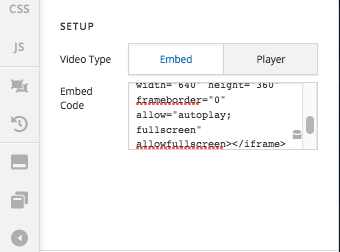
I went ahead and corrected the issue. Please check your page now.
