Hello Kim,
Thanks for writing in!
I see that you are using WordPress editor to create posts. Further inspecting the page I see that the iframe code width is 980.
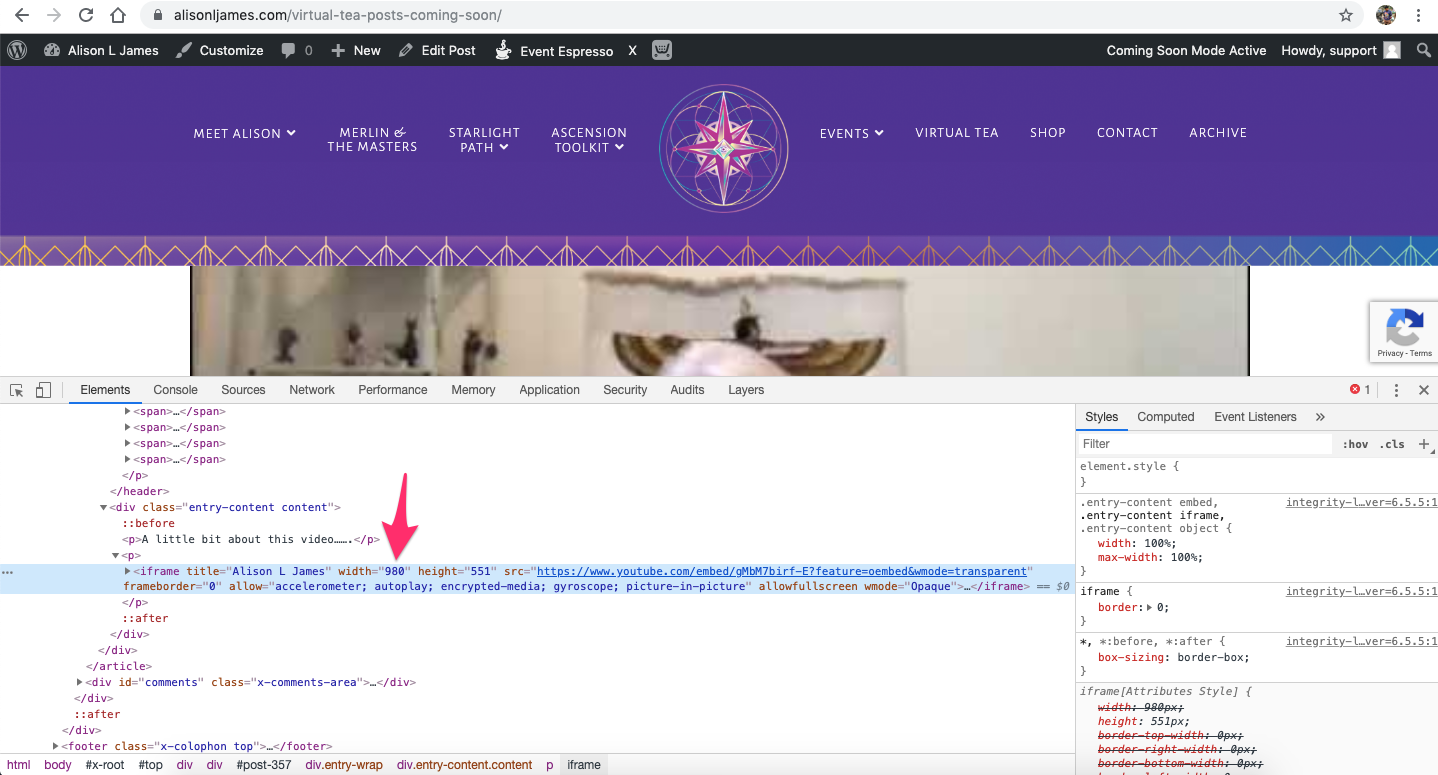
Cornerstone builder elements has options that can be used to adjust the width of video or iframe as per requirements. However, as you are using WordPress editor better option would be to use some custom CSS to make the changes.
Here’s the CSS for iframe written in Theme files:
.entry-content iframe {
    width: 100%;
    max-width: 100%;
}
Here’s the CSS that you can use under X > Theme Options > CSS:
.entry-content iframe {
    max-width: none;
    width: 500px;
    display: block;
    margin: 0 auto;
}
You can also use following CSS:
.entry-content iframe {
    max-width: none;
    width: 50% !important;
    display: block;
    margin: 0 auto;
}
1- I have found the proper CSS code selector using the Chrome browser Developer Toolbar: https://www.youtube.com/watch?v=wcFnnxfA70g
2- For the CSS code itself, I suggest that you get started with this tutorial: https://www.youtube.com/watch?v=yfoY53QXEnI
Thanks.