Video lightbox - video not centered or correct dimensions

I’m adding a simple youtube embed to a lightbox using the recommended shortcode.
My video is not centered.
Its dimensions are completely wrong with 100% wide and only about 130px height.

I’m sure its a simple fix but I haven’t located where to adjust (checked code in console).

Please help.
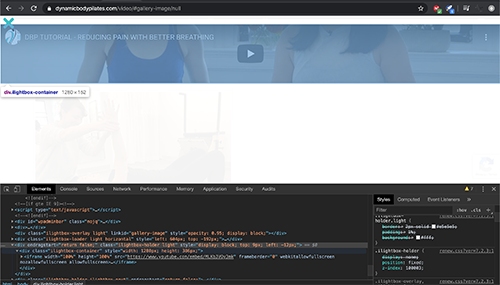
Screen Shot 2020-03-22 at 2.55.47 PM

Hello @jimijack,

Thanks for writing in! Are you using the Content Modal element? You will need to insert the Youtube embed code with the define width and height of the video. If you already did, can you please provide the embed code so that we can test in our local testing server as well? To better assist you with your issue, kindly provide us access to your site so that we can check your settings. Please create a secure note with the following info:
– Link to your site
– WordPress Admin username / password

To know how to create a secure note, please check this out: https://theme.co/apex/forum/t/how-to-get-support/288

Best Regards.

Hi Ruenel thanks for getting back.
I was not using the Content Modal element that is better.

BUT - I can’t change the toggle element. I read the docs (https://theme.co/docs/content-area-modal) I can’t change the graphic from the hamburger. It says theres a graphic setup window and a text window, but neither are showing in the dashboard.

How can I see the Toggle options?

Hello @jimijack,

Please click on the cog icon on the settings area then enable the Advanced Mode option.

Once you have the Advanced Mode option active, you should be able to have all the controls avaiable for the element.

Hope this helps.

This topic was automatically closed 10 days after the last reply. New replies are no longer allowed.