Verticaly and horizontaly align all images in a section

Hi there,

I have 1 row (section 5) with three images in it -

http://scarboroughchiro.naomipearce.com/home/

I am wanting all images in this row both vertically and horizontally aligned - I have tried adding a few different CSS without any luck… could you please let me know what I need to do to make this happen.

Many thanks in advance,
Naomi

Hi @BlissfulBellies,

Thanks for writing in!

I can see the images are horizontally aligned center to the each of the column.

Due to diffrent size the images are liiking misaligned in horizonatlly.
This case, I would recommend you to please use a single column section and add al the there images in that column.
Manage the space by adding margin to the image so that it will look horizontally centered align.

To make vertically centered align please follow this steps.

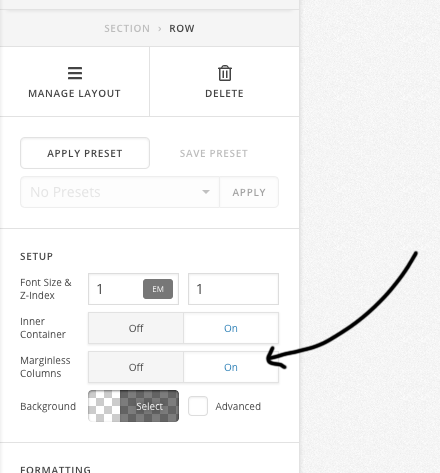
1 - Make the row as margin-less.

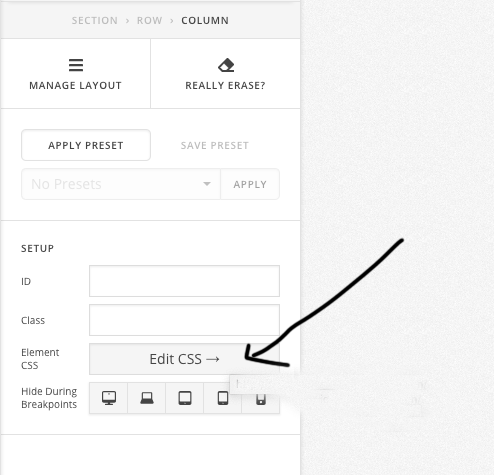
2- add this code to the column element CSS.

$el{
vertical-align: middle !important;
}

Hope this helps!

This topic was automatically closed 10 days after the last reply. New replies are no longer allowed.