Vertically Aligned Elements within a row

Hello, I realise there are many support forum topics on this but I cannot figure out how to apply them to my situation.

On the webpage: www.jensenwebdesign.com/mmrs-home

I am trying to align the text and button with the video equally. As in, there is an equal gap above the top text, below the top text, above the bottom text and below the bottom text (as well as horizontally but I already have that set up using the option in cornerstone).

I am not good with CSS code or such but I will be able to follow specific instructions most likely. Thank you for your time.
Hi There,

I would like to check your website but it’s under construction mode.

Would you mind provide us with your admin account so we can take a closer look?

Thanks.

I’ve also took it out of construction mode

Hi There,

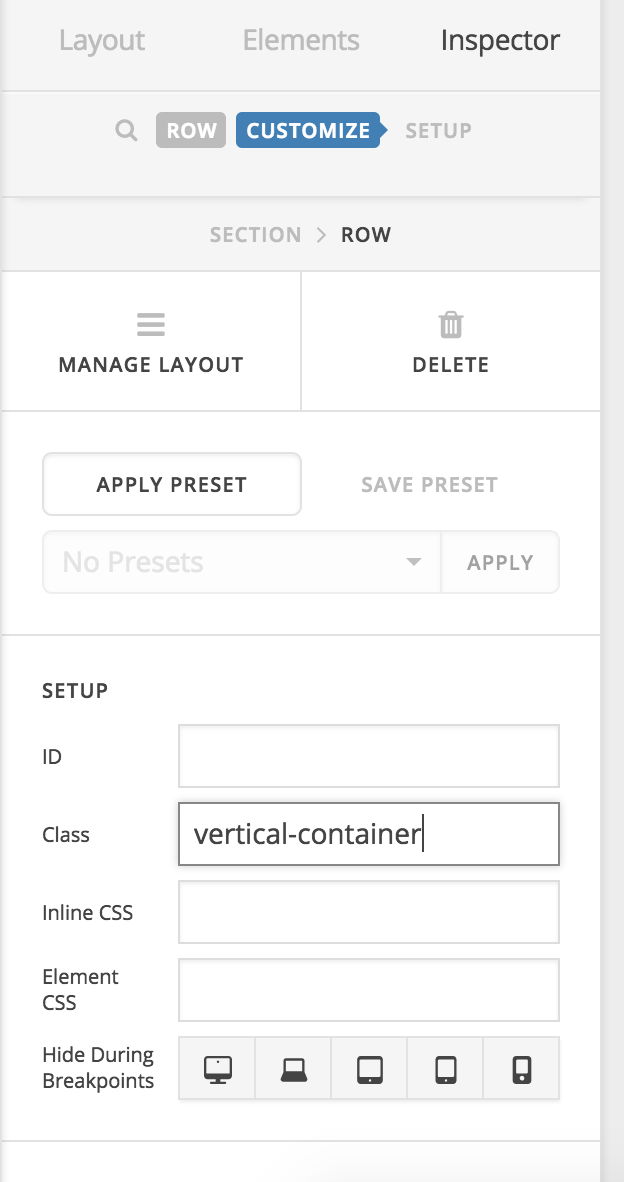
Please add the vertical-container class to your row contains the video and text elements:

After that add this custom CSS under Theme Options > CSS:

.x-container.vertical-container {
    display: table;
}
.x-container.vertical-container .x-column {
    vertical-align: middle;
    display: table-cell;
    float: none;
}

Hope it helps :slight_smile:

This topic was automatically closed 10 days after the last reply. New replies are no longer allowed.