Hi,
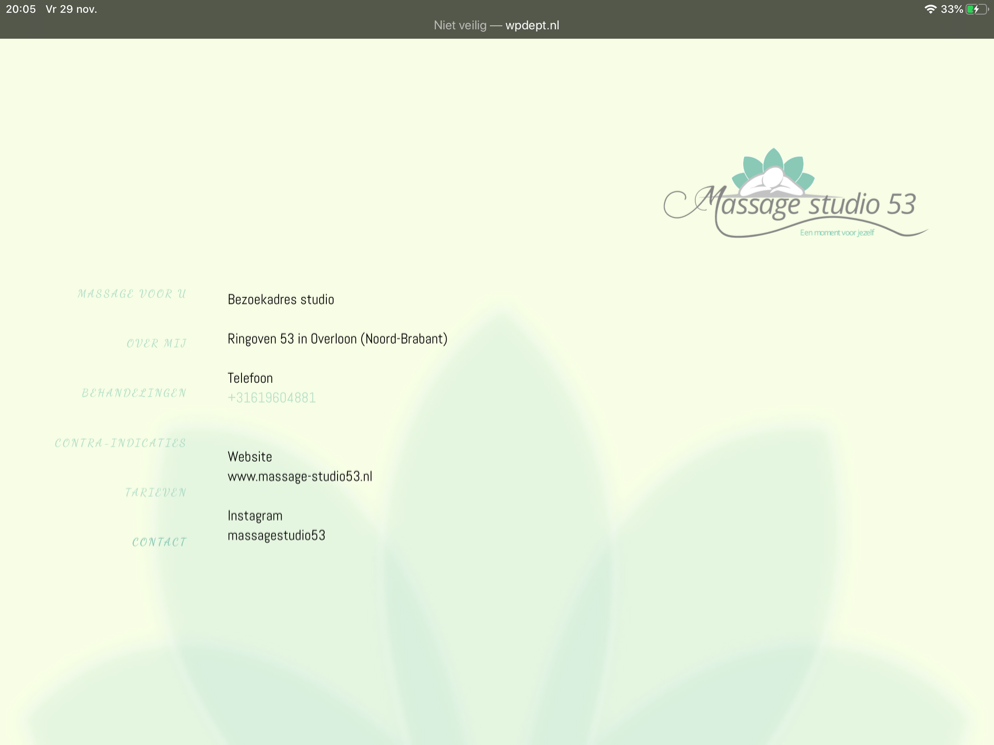
I am implementing a vertical tabs element. How can I adjust the Tabs themselves so they remain in the same distance from each other?
See images for what I mean:

Hi,
I am implementing a vertical tabs element. How can I adjust the Tabs themselves so they remain in the same distance from each other?
See images for what I mean:
Hello @yingfuli,
Thanks for writing in!
I have checked your massage dev site and the tab nav items are still on top. Please apply your custom css and then you may also add a top and bottom padding so that the tab nav items will have the same gap in between.
Please let us know how it goes.
I didn’t know how to do that so switched back to top tabs.
Hello @yingfuli,
Sorry for the confusion. I thought what I saw in your screenshot above has been live already. I guess it is just a mock layout.
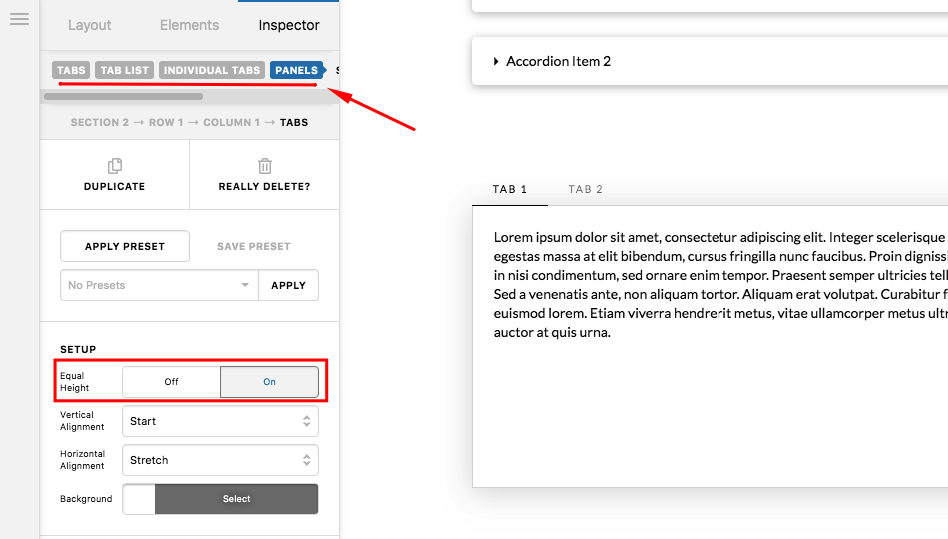
You can make sure that they are in equal height by going to the Tab settings, Tab > Panels and turn on “Equal height” option:
Hope this helps.
No confusion. I just reverted back to horizontal tabs. The equal height setting doesn’t do anything to solve the issue on vertical tabs.
Anyway, I moved on to another solution that doesn’t involve the tabs, so I’m good.
Hello @yingfuli,
It’s good to know that you have found other solutions that will help achieve what you have mind.
Thanks.
This topic was automatically closed 10 days after the last reply. New replies are no longer allowed.