Vertical align a column in row

I’ve searched the forum and tried different inline CSS, and I get it to work for large screen sizes, but for some reason it breaks for smaller screen.

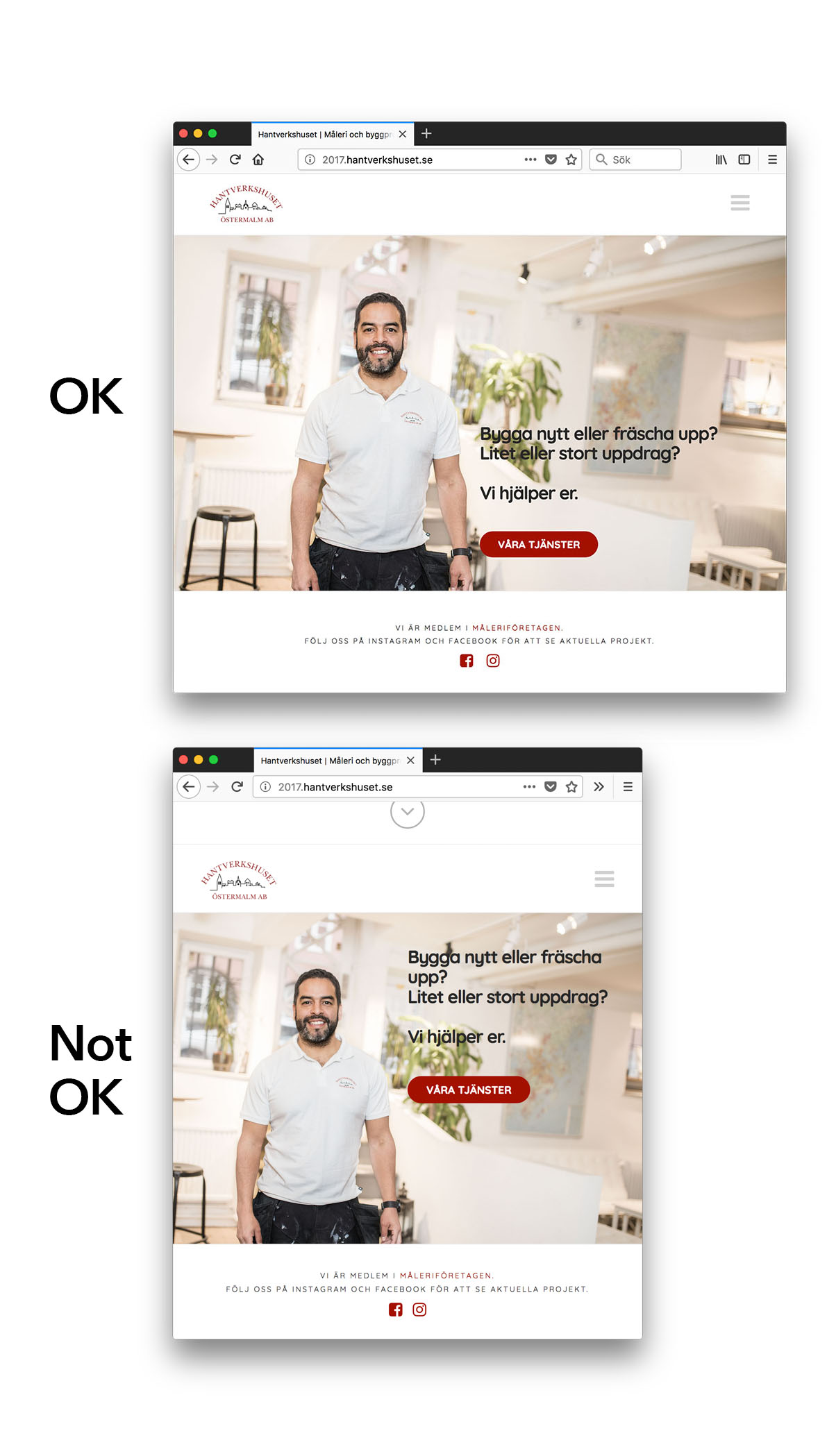
See the heading and button in this image, it should align to bottom of image, as it does in one of my attached images. In the other image I have resized the browser a little, and then it stops working.

What am I missing?

The row has a class “featureimage”, with a fixed size. And the column has “vertical-align:bottom” as inline CSS. Only works for large screens.

The dev-site’s URL is http://2017.hantverkshuset.se

Best,
Petter
Hi there,

Thanks for writing around! To fix the issue, just add the following CSS code in the Theme Options > Global CSS or in the Customizer via Appearance > Customize > Custom > Edit GLOBAL CSS

.home .featureimage {
    display: table !important;
}
.home .featureimage  .x-column {
    display: table-cell !important;
    float: none !important;
}

Cheers!

Thanks a lot! That worked perfectly!

If you have half a minute, why didn’t it work without this code … what made it break at small sizes?

Hello There,

It’s good to know that the code works out perfectly for you. It did not work for the first time because vertical align only applies to inline and table-cell elements. For more details, please check this out:

Best Regards.

Thanks a lot.

(What bugged me was why it worked for large screens, but I leave it here. Case closed. :slight_smile: )

You’re welcome! :slight_smile:

This topic was automatically closed 10 days after the last reply. New replies are no longer allowed.