Hi again,
You can do this with CSS very easily, just add the a class for example bg-text to your V2 Headline element (see screenshot)
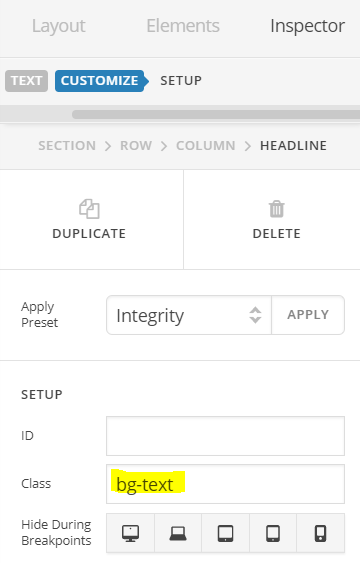
Then add the following code in the Theme Options > Global CSS or in the Customizer via Appearance > Customize > Custom > Edit GLOBAL CSS
.bg-text .x-text-content-text-primary {
    padding: 10px !important;
    display: inline !important;
    background: #b12323;
}
You can change the background color as per your need. You can reuse the class to other Headline elements by just giving them the same class.
Alternatively, there is another simple solution that will do the trick, use Headline element’s background color and set padding and then just add the code in your Customizer:
.x-text-headline {
    display: inline-block !important;
}
Hope this helps!


