Using V2 image

Hello,

With the latest update and introduction of V2 elements I can’t find how to set max height for an image. My image is now showing live and in preview but I can’t seem to find how to set max height as I did in previous version. Do all images now have to be sized exactly right before using?
Please can you assist?

I am finding the changes very confusing and time-consuming and really hope I can get used to them quickly.

With thanks and kind regards,

Jenny
Hi Jenny,

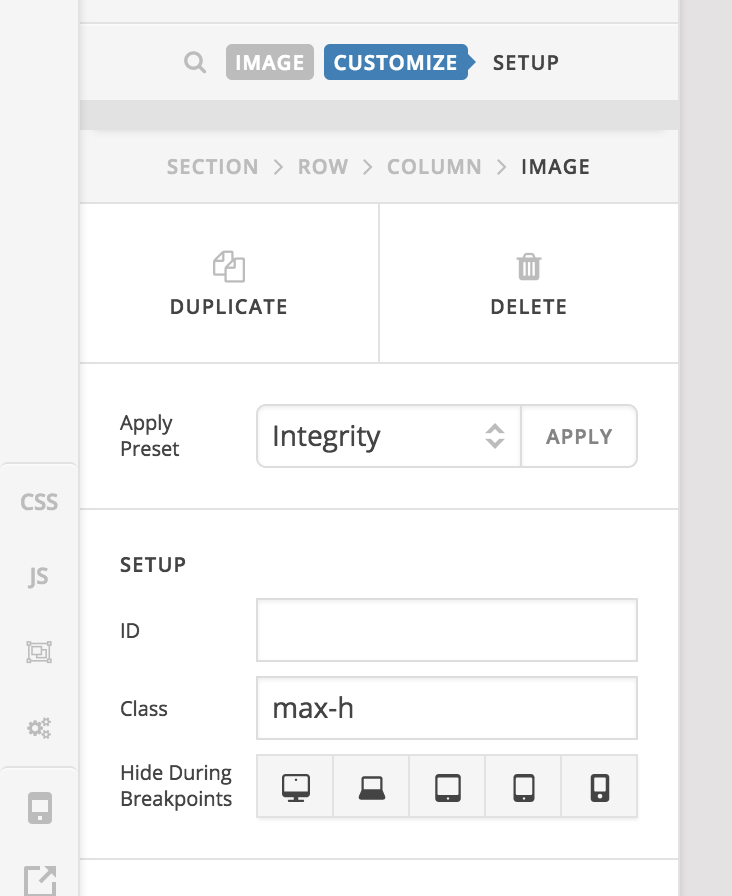
Please add the max-h class to the class field of your image:

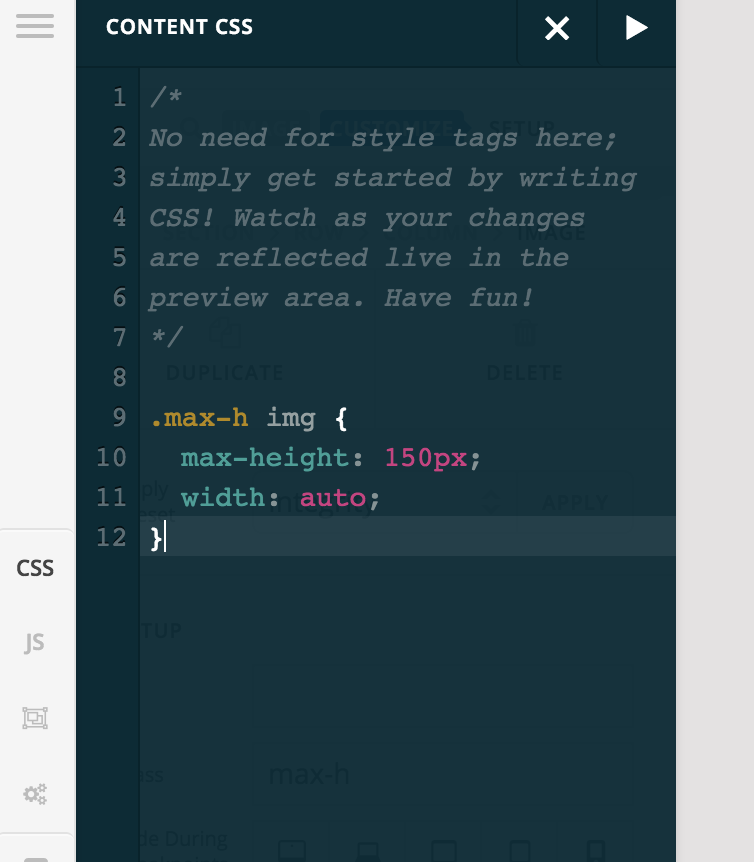
After that adding this custom CSS:

.max-h img {
  max-height: 150px;
  width: auto;
}

Hope it helps :slight_smile:

Thanks for your reply. Yes that works fine. If I want the image to be 100% would the css be:

max-height: 100%;

Kind regards,

Jenny

Hi Jenny,

It should be:

.max-h img {
  max-height: auto;
  width: 100%;;
}

Hope this helps.

This topic was automatically closed 10 days after the last reply. New replies are no longer allowed.