Using Revolution Slider in single portfolio items layout

Hi,

I looked for this topic in the forum but I did not find what I need, if it already exists link me, thanks.
I created my own template for portfolio items with Layout Builder.
I would like to insert a revolution slider at the top of the page with specific images of the single portfolio item. It’s possible? How can I link specific portfolio images to revolution slider without creating a different revolution slider for each portfolio item?

Alternatively, if it is not possible to do it, can I do it with a simple slider? I followed this video of yours

but in the slier I keep seeing the 2 blue and purple 1200x600 images

Thanks in advance
Hi Giuseppe,

Thanks for reaching out!

Please see the answer to your questions below.

I would like to insert a revolution slider at the top of the page with specific images of the single portfolio item. It’s possible?

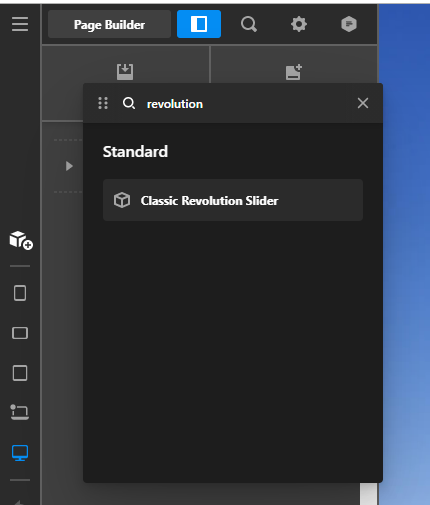
  • Since you are using Layout Builder. Yes, it is possible to add a revolution slider at the top of your portfolio items. Just add a section then add the revolution slider using the Revolution Slider Classic element but it is not possible with specific images per portfolio item using the Revolution, this can be done by creating Revolution Slider for each portfolio item.

On the other hand, that’s the only way to have a simple image slider in the Portfolio items, just follow all the steps on that video, and please make sure that the page Media Type is set to Gallery. You can find it at the bottom of your portfolio items page.

Hope that helps.

Ok thanks, but by creating many revolution sliders one for each portfolio item (I should create about 40), don’t I risk slowing down the site?
Would you recommend to create many revolution sliders or to use the simple slider as in the video?

I followed the video but my portfolio has this layout on 2 columns with social media and with the information on the author and date of the post that I don’t want.

How do I get a portfolio item layout like in the video?

I just need the fullwidth slider and description below in 1 column, without the social column and post info

Thanks

Hi Giuseppe,

I would suggest you use the Simple Slider for your portfolio as my colleague says. To remove the Portfolio meta like date and Social links, you need to disable those from Theme Options > Portfolio.

Hope it helps.
Thanks

Ok thank you very much!

Hi Giuseppe,

Glad that we are able to help you.

Thanks

Hey Guiseppe,

Your last response was withdrawn. You may have resolved your issue already. If there is anything else we can help you with, please do not hesitate to open another thread.

Cheers.

This topic was automatically closed 10 days after the last reply. New replies are no longer allowed.