Firstly, the site in question is https://www.flexo.nz/
So I’ve written a bit of jquery that works with a currency converter widget (see the nav item NZD) to update the menu label based on the selected currency:

As you can see, it targets a span with an ID:

I’m rebuilding the header in Pro to make use of some other features, but can’t seem to find a way to get the label to update in the same way. I’m using the content modal and am unable to just paste <span id="menu-currency">NZD</span> into the modal toggle- when I save, it strips the id off.
You can see the new pro header on this page: https://www.flexo.nz/demo-header/
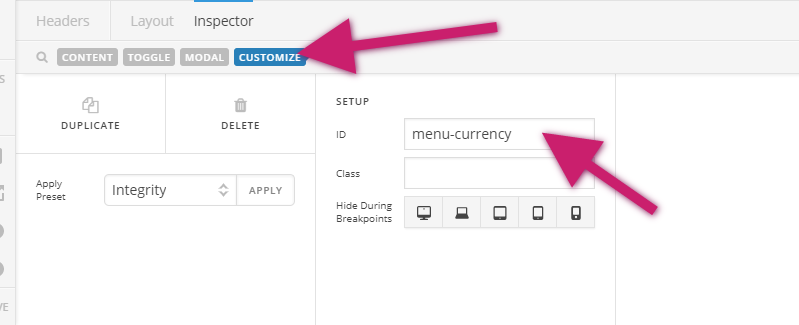
It works fine if I use inspector to add id=“menu-currency”

I’ve tried a heap of things, including the below, which I thought would have worked.

Anyway, can I add an ID to the modal toggle somehow? Or perhaps target it otherwise?
Thanks in advance.