Hi! I have Pro, and I installed content from Design Cloud, Creative Columns 2. Now I want to use that, put it on a page I am working. How do I do that? I can see it in my Template Manager but I cannot figure out how to put it on my page.
Hi @markusp80,
Thanks for writing to us.
To use Design Cloud Template in the page, please follow these steps.
-
Go to your Dashboard (WP-ADMIN)
-
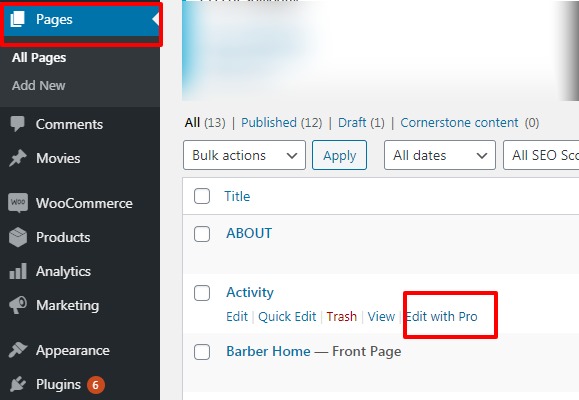
Now go to Pages -->Edit with Pro
Screenshot
-
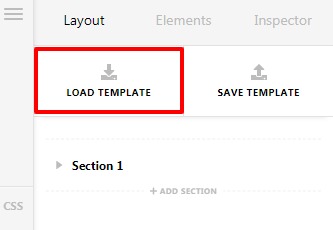
Now click on the Load Template
Screenshot
-
Click on the select box and then select your template that you want to insert in the page.
Screenshot
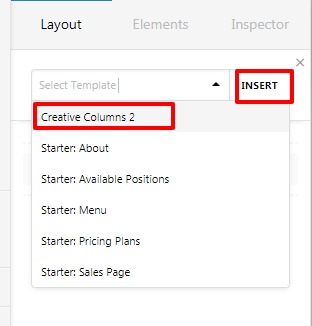
Hope it helps you.
Thanks
Thanks, works great 
This topic was automatically closed 10 days after the last reply. New replies are no longer allowed.