Upgraded plugins and having problem with image upload

We upgraded the cornerstone and X Theme to solve the issue with contact form, now we are having a problem with uploading some pictures, not all the images:

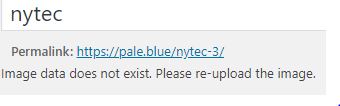
  1. upon uploading the image into the Media Library, there is nothing shown except if we click on it. However, if we want to edit it (click on Edit Image button), there will be a message saying “Image data does not exist. Please re-upload the image”.
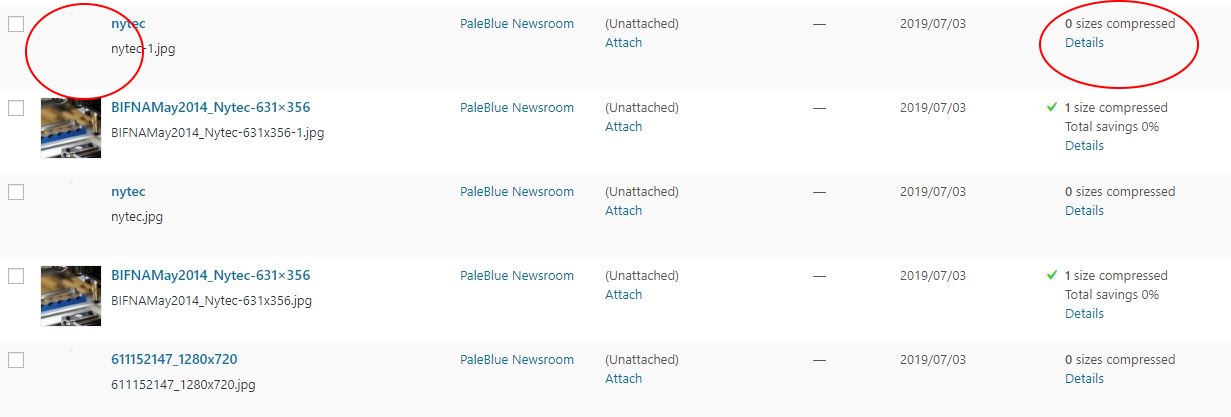
  2. In the Compression column, for such images we get a message saying “0 sizes compressed” and no option available for compressing.
    As mentioned above, this issues does not apply to all pictures we upload and is regardless of image’s size.
    Please see screenshots below for more specific details.
Thank you in advance.

Hi Jamie,

I can see you do have a few plugins related to media/images. Can we do a basic troubleshooting first? You could try testing for a plugin conflict. You can do this by deactivating all third party plugins, and seeing if the problem remains. If it’s fixed, you’ll know a plugin caused the problem, and you can narrow down which one by reactivating them one at a time. Let us know how it goes! Thank you.

Hi Lely,

I deactivated all the plugins to identify what was the problem but seems like none of them related with the image uploading problem and editting image problem. In addition to this problem, we have a problem with the search button on the library as well as pages. When we want to search the page on the website it doesn’t find the pages, even though we know there is a page for it. And today I came across a problem which gave me this note: “[Not unique table/alias: ‘wplw_postmeta’]
SELECT SQL_CALC_FOUND_ROWS DISTINCT wplw_posts.ID FROM wplw_posts LEFT JOIN wplw_postmeta ON wplw_posts.ID = wplw_postmeta.post_id INNER JOIN wplw_postmeta ON wplw_posts.ID = wplw_postmeta.post_id LEFT JOIN wplw_postmeta AS sq1 ON ( wplw_posts.ID = sq1.post_id AND sq1.meta_key = ‘_wp_attached_file’ ) WHERE 1=1 AND (((wplw_posts.post_title LIKE ‘%technology%’) OR (wplw_postmeta.meta_value LIKE ‘%technology%’) OR (wplw_posts.post_excerpt LIKE ‘%technology%’) OR (wplw_posts.post_content LIKE ‘%technology%’) OR ( sq1.meta_value LIKE ‘%technology%’ ) OR (wplw_postmeta.meta_key = ‘_cornerstone_data’ AND wplw_postmeta.meta_value LIKE ‘%technology%’))) AND wplw_posts.post_type = ‘attachment’ AND ((wplw_posts.post_status = ‘inherit’ OR wplw_posts.post_status = ‘private’)) GROUP BY wplw_posts.ID ORDER BY wplw_posts.post_title LIKE ‘%technology%’ DESC, wplw_posts.post_date DESC LIMIT 0, 20”

Hey Jamie,

If one of the plugins was causing the issue, you need to contact the plugin developer so they could fix the problem of their plugin.

Regarding the search feature, would you mind creating a separate thread for this? This is because mixing topics in a thread almost always cause confusion which leads to lots of back and forth and frustration.

In the separate thread, please give us the following:

  1. Are you using the search bar in the front-end of your website or the back-end page search feature of WordPress?
  2. What search term are you using?
  3. What page are you expecting to come up. Please give us the specific URL.

Regarding the error message you posted. That is not related to any of our products. Does that happen with all the third-party plugins deactivated? If that issue is caused by a third-party plugin, please contact the plugin developer.

Thanks.

Hey Christian Y

I deactivated all the plugins to identify what was the problem but seems like NONE of them related with the image uploading problem and editting image problem. We dont know that is causing the problem now

Hey Jamie,

I’m sorry for the confusion. I however tested deactivating all plugins again including Cornerstone and also switched to the default WordPress theme and the issue persists. That means this is not an issue with our products nor any other plugin.

This might have something to do with your WordPress install. Regretfully, that is not covered by our product support. Please just try updating WordPress still using the default WordPress theme with no plugins active so you could see that it’s not an issue with themes and plugins but your WordPress install.

If the issue persists, please have a third-party developer investigate that issue with your site.

Thank you for understanding.

This topic was automatically closed 10 days after the last reply. New replies are no longer allowed.