Updating Cornerstone With X Theme

I purchased X that came with Cornerstone. Every time I try to update Cornerstone, it says I have to pasted in the license code. I get the code for the purchased X theme and it keeps saying it’s invalid. How do I update cornerstone? I keep getting:

“We’ve checked the code, but it doesn’t appear to be an Cornerstone purchase code or Themeco license. Please double check the code and try again.”
Hi there,

It seems that you have a license for X but you are trying to validate Cornerstone using that license.

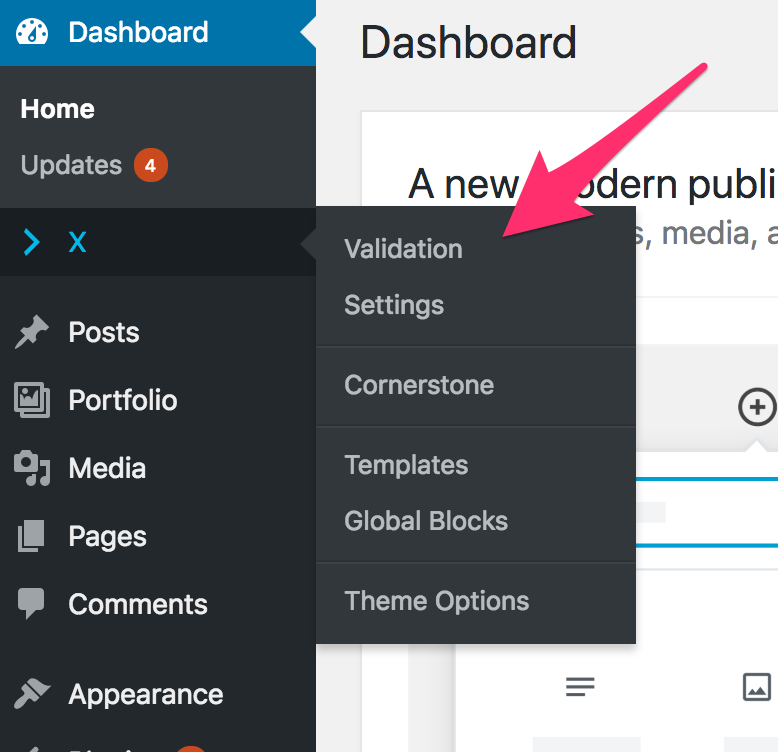
I am assuming that you are using another theme with Cornerstone. Using an X license to validate Cornerstone will not work. You will have to have X activated and validate it in X > Validation instead of Cornerstone > Validation.

Hope this explains it.

This topic was automatically closed 10 days after the last reply. New replies are no longer allowed.