Since updating to the latest X theme the mobile image that we placed on the slider above masthead option is no longer showing, so all mobile devices show a grey screen as though it it trying to load the slider.
please advise
many thanks
Since updating to the latest X theme the mobile image that we placed on the slider above masthead option is no longer showing, so all mobile devices show a grey screen as though it it trying to load the slider.
please advise
many thanks
Hello There,
Thanks for writing in!
Are you using the latest updates X 5.2.2 and Cornerstone 2.1.3? Please make sure that you have updated to this version.
After doing the updates, always remember to clear all caches (if you are using WP Rocket, WP SuperCache or W3 Total Cache) when updating so that the code from the latest release is always in use. This will help you to avoid any potential errors.
To assist you with this issue, we’ll first need you to provide us with your URL. This is to ensure that we can provide you with a tailored answer to your situation. Once you have provided us with your URL, we will be happy to assist you with everything.
Best Regards.
hi
i have sent secure note with login creds and web address, i am up to date on X theme and as far as i know cornerstone. caches cleared and have checked the site a several devices all which leave a grey blank space where the slider/image should be, but it shows a spinner, so it looks like the video tries to load even though there is an image added for the mobile devices.
Many Thanks
Hi RueNel,
i have also an problem by showing my site (https://www.volkerrastel.de) corect on mobile phone.
I clear all caches.
Thnaks,
Volker Rastel
Hi There @gingernicci
Since you set your background-video on the slide, not on the Slider Settings: Above Masthead’s Optional Background Video. Please set your cover image there as well (https://prnt.sc/h23osj).
Please clarify how we can replicate your issue, All of the images on your site shows up on desktop and mobile.
Thanks,
Hi
No i think i didnt make myself clear. before i updated the x theme i had the settings exactly as they are and it worked. I want the video to play for desktop/laptop view, as it does. And the picture which is set in the above masthead settings so it only shows for mobile.
If i add the image to cover image within the slider itself then the image shows at the beginning of the video for desktop too. I do not want the image to display for desktop, only for mobile since videos do not auto play on mobile.
Thanks
Hi there,
Thank you for your message. I tried to access the homepage of your website using the WP Dashboard but I get internal server error 500 and blank page:
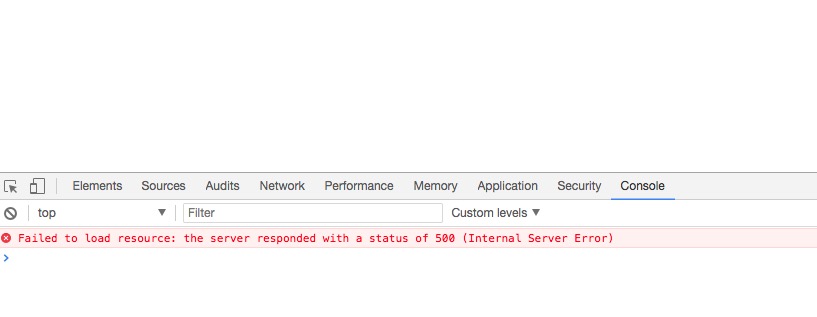
But the other pages are ok. Please kindly enable the debug mode of the WordPress to know what is the real cause of the issue:
https://codex.wordpress.org/Debugging_in_WordPress
Also, it is recommended that you contact your hosting service provider and ask them to check their error files and see what is the real cause of the issue.
Meanwhile, I suggest that you backup your website and update the theme to version 5.2.4. After the problem is fixed we can check the case regarding the poster image on mobile devices for your above masthead slider.
Thank you.
hi
I cannot duplicate the error you experienced, both the theme and cornerstone are updated to the most current versions. Please can you review the problem with poster image?
Many Thanks
Hi,
Since you are using the revslider video background, you need to add your poster image from there

Thanks
This topic was automatically closed 10 days after the last reply. New replies are no longer allowed.